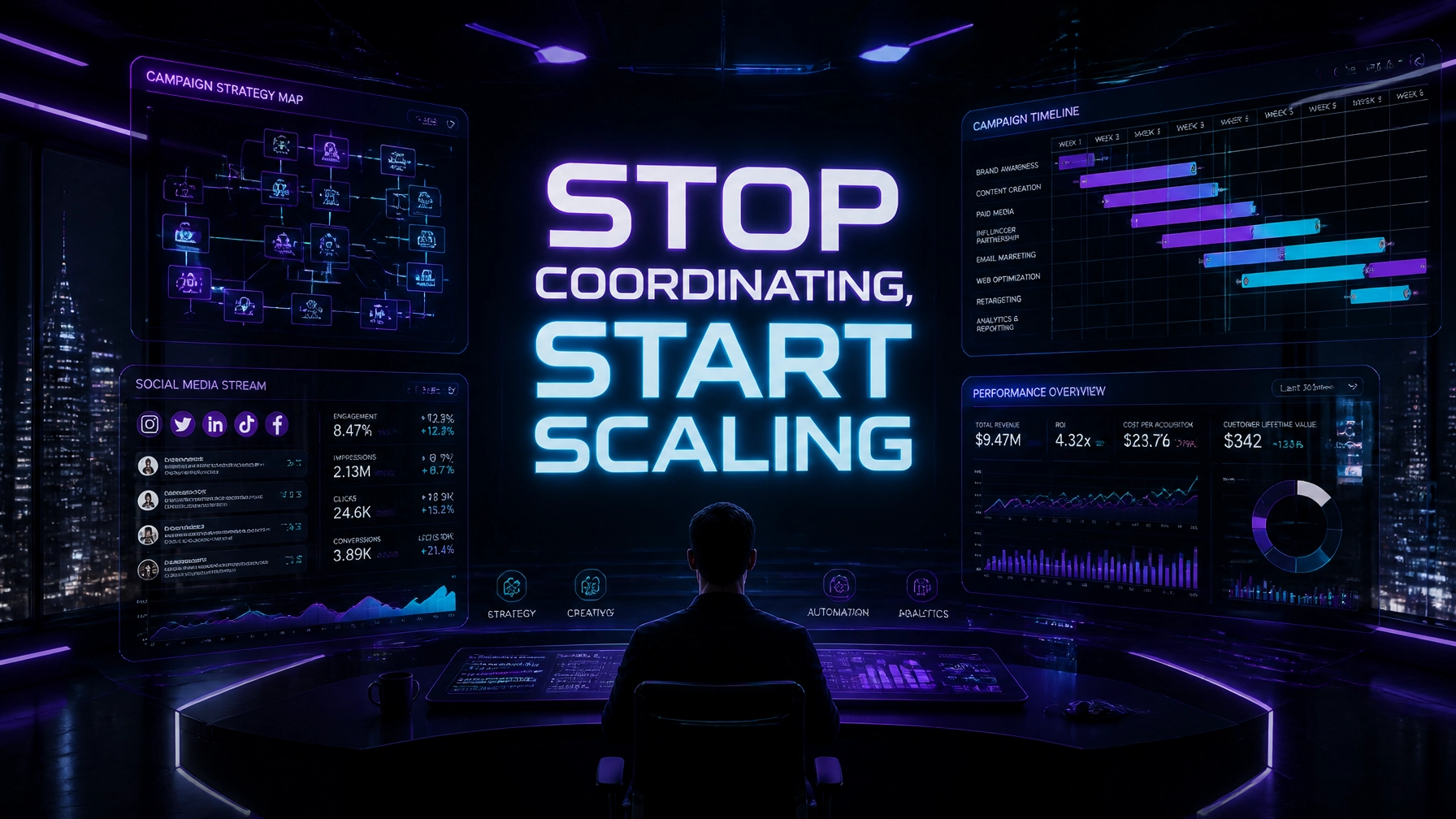
Every hour you spend chasing a client for a high-res logo or manually stitching together a Google Sheets report is an hour you aren’t selling a $10k strategy or closing a new retainer. In the hyper-speed landscape of 2026, "coordination" has become the invisible tax that kills agency margins. If your account managers are acting like glorified data entry clerks, you aren't running an agency, you're running a high-priced admin pool.
At Virtual Nexgen Solutions, we see it daily: brilliant creatives buried under the weight of "Admin Debt." You want to scale, but every new client adds a layer of coordination chaos that threatens to break your existing systems. The solution isn't hiring another $60,000-a-year project manager. The solution is a specialized Marketing Agency VA who costs $8 per hour and operates with the precision of a high-end system.
The Invisible Profit Killers: 6 Agency Pain Points You Can’t Ignore
Before we dive into the hacks, let’s be brutally honest about why your agency feels like it's perpetually on fire. You are likely leaking profit through these six common operational cracks:
- The Approval Bottleneck: You’ve finished the creative, but it sits in "Review" for five days because your client is busy, or your internal team forgot to send the reminder. Every day a campaign is paused is a day you aren't generating ROI.
- The Data Fragmentation Trap: Your performance data lives in Facebook Ads, Google Analytics, HubSpot, and your CRM. Pulling it all into a single, coherent narrative takes your senior strategist four hours every Friday.
- The "Asset Chasing" Loop: Your designers are ready to go, but they're missing the brief or the brand guidelines. Your account managers are stuck in a 20-email thread just trying to get a login for a LinkedIn page.
- Reporting Time-Suck: You spend the first week of every month creating reports for the previous month. By the time the client sees the data, it’s already outdated, and your team is too exhausted to actually analyze it.
- Budget Pacing Panic: It’s the 20th of the month, and you realize you’ve only spent 30% of the client’s ad budget, or worse, you’ve overspent by 40%. The manual check is tedious, so it gets skipped until it’s too late.
- CRM Hygiene Neglect: New leads are pouring in from your ads, but they aren't being tagged, assigned, or followed up on within the "golden 5 minutes." Your agency's reputation for performance is tied to lead handling you don't actually control.
The ROI of a Specialized Marketing Agency VA
When you compare an in-house administrative hire to a Virtual Nexgen Solutions specialist, the math is undeniable. A US-based administrative assistant often commands a salary of $60,000 per year, plus benefits, taxes, and office space. This brings your effective hourly rate closer to $40–$50 per hour.
In contrast, a specialized Virtual Assistant from Virtual Nexgen Solutions costs just $8 per hour. This isn’t just about "cheap labor", it’s about high-level operational support. Our VAs are trained in the specific software stacks marketing agencies use, like Monday.com, ClickUp, HubSpot, and GoHighLevel.
Schedule your 30-Minute Agency Operations Audit here to see how much you could save.
7 Quick Marketing Agency VA Hacks for 2026
Hack 1: The "Zero-Manual" UTM Systematization
Stop letting your strategists manually type out UTM parameters. It leads to broken tracking and dirty data.
The Hack: Have your VA create a master UTM builder in Google Sheets or Airtable. Whenever a new campaign is planned, the VA generates all necessary links and updates the campaign doc.
SOP 1: How to Systematize UTM Parameter Creation
- Open the Master Agency UTM Builder sheet.
- Input the campaign name, medium, source, and content keywords.
- Ensure the naming convention matches the 2026 Agency Standard (e.g., YYYY_Client_Campaign_Channel).
- Copy the generated URL.
- Test the URL in an Incognito window to verify it loads correctly.
- Paste the final link into the Campaign Strategy Document.
Hack 2: The "Ghost" Asset Chaser
Your creative team should never wait for assets.
The Hack: Assign your VA to handle all client onboarding "asset collections." They are the "bad cop" who sends the follow-up emails, texts, and Slack pings until every logo, video file, and brand guide is in the folder.
SOP 2: How to Handle Asset Chasing for New Clients
- Review the Client Onboarding Checklist immediately after the contract is signed.
- Create a dedicated Google Drive or Dropbox folder for the client.
- Send the initial "Request for Assets" email using the agency template.
- Set a reminder for 24 hours. If assets aren't received, send a "Friendly Reminder" via email and CC the account manager.
- At 48 hours, send a direct SMS or Slack message (if applicable).
- Once assets arrive, organize them into subfolders (Logos, Brand Guidelines, Raw Footage).
Hack 3: Live Performance Dashboards (No More Slide Decks)
Static PDF reports are dead in 2026. Clients want real-time transparency.
The Hack: Have your VA maintain live dashboards in tools like Looker Studio or AgencyAnalytics. They pull the data daily to ensure the dashboards are accurate, so you can send a link instead of a 50-page deck.
SOP 3: How to Orchestrate Weekly Performance Data Pulls
- Log in to the client's ad platforms (Facebook, Google, LinkedIn).
- Export the raw data for the last 7 days.
- Import the data into the Looker Studio connector or the Agency Master Sheet.
- Cross-reference the spend in the platform with the spend shown on the dashboard.
- Flag any discrepancies larger than 2% to the Lead Strategist.
- Update the "Key Wins" section of the dashboard based on the week's performance.
Hack 4: The Budget Pacing Early Warning System
The Hack: Your VA performs a "Budget Audit" every morning at 9:00 AM. They log spend versus the monthly goal and ping a specific Slack channel if a client is trending more than 10% off track.
SOP 4: How to Manage Daily Budget Pacing Checks
- Open the Agency Budget Pacing Spreadsheet.
- Calculate the "Ideal Daily Spend" (Total Budget / Days in Month).
- Pull the "Actual Spend to Date" from the ad platform.
- Compare the "Actual" vs. "Projected" spend.
- Highlight cells in RED if the spend is >10% over or under the daily target.
- Post a summary in the #ops-budget Slack channel for any red-flagged clients.
Hack 5: High-Speed Approval Routing
The Hack: Use your VA as the traffic controller. When a design is finished, the VA routes it to the client via your PM tool (ClickUp/Monday) and manages the feedback loop.
SOP 5: How to use Monday.com for Asset Approvals
- Move the task from "In Production" to "Client Review" in Monday.com.
- Attach the final asset file or the live link.
- Tag the client contact and use the "@ClientName - Action Required" trigger.
- Set a "Due Date" for the review for 24 hours from now.
- If the status hasn't changed to "Approved" by the deadline, trigger the "Late Approval" email sequence.
- Log all client feedback into the task comments for the creative team to see.
Hack 6: Social Community & Review Management
The Hack: Don't let your high-paid community manager spend time deleting spam or replying to "Thanks!" comments. Your VA handles the low-level engagement and flags only the high-priority inquiries or negative reviews for the strategist.
SOP 6: How to Streamline Community Management Replying
- Log into the client’s social media management tool (e.g., Sprout Social, Hootsuite).
- Filter for "Unread Comments" and "Direct Messages."
- Use the "Standard Response Library" to reply to general inquiries.
- Delete or hide obvious spam or bot comments.
- If a comment is a complaint or a complex question, tag the Account Manager.
- Log the daily engagement totals in the Weekly Tracking Sheet.
SOP 7: How to Handle Google My Business Review Responses
- Monitor GMB notifications daily.
- For 5-star reviews with no text: use a standard "Thank you" template.
- For 5-star reviews with text: write a personalized response mentioning the specific service they liked.
- For reviews 3-stars or lower: DO NOT REPLY. Immediately alert the Client Success Manager.
- Track the number of new reviews vs. last month.
- Ensure all responses are posted within 24 hours.
Hack 7: CRM Hygiene & Lead Routing
The Hack: Your VA audits the CRM daily to ensure leads haven't "stalled." They check for missing tags, incorrect lead sources, or prospects that haven't been contacted.
SOP 8: How to Audit CRM Lead Statuses Daily
- Filter the CRM (HubSpot/GHL) for "Leads Created in Last 24 Hours."
- Check that the "Lead Source" field is populated.
- Verify that an automated email sequence has been triggered.
- Identify any leads in the "New" status that have not been assigned to a sales rep.
- Assign the lead based on the agency's rotation rules.
- Update the Lead Tracking Dashboard with the new totals.
Scaling with Systematized Workflows: The Remaining SOPs
To truly outperform your competitors, your Virtual Assistant must follow a rigid structure. Here are the remaining SOPs that turn a standard VA into an agency powerhouse:
SOP 9: How to Set Up a Campaign Launch Checklist in ClickUp
- Open the "Campaign Launch Template" in ClickUp.
- Duplicate the folder and rename it for the specific client.
- Assign sub-tasks (Copywriting, Design, Tracking, Budget) to the relevant team members.
- Input the official Launch Date into the folder settings.
- Link the Campaign Strategy Doc in the folder description.
- Notify the team via a @team mention that the project is live.
SOP 10: How to Coordinate Influencer Content Deliverables
- Reach out to the approved influencer list via the agency's outreach script.
- Track "Accepted" vs. "Pending" responses in the Influencer Tracker.
- Review submitted content against the "Brand Safety Guidelines."
- Submit content to the client for final approval.
- Confirm the posting date and time with the influencer.
- Verify the post went live and capture a screenshot for the report.
SOP 11: How to Systematize Monthly Reporting Deck Creation
- Pull the "Executive Summary" data from the live dashboard.
- Paste key screenshots of top-performing ads into the Google Slides template.
- Add "MoM Change" (Month over Month) percentages for all primary KPIs.
- Highlight the "Top 3 Wins" and "Top 3 Opportunities" in the notes section for the strategist to refine.
- Run a spell-check and formatting audit on all slides.
- Notify the Strategist that the draft is ready for their final commentary.
SOP 12: How to Orchestrate Internal Strategy Meeting Prep
- Confirm the meeting time with all attendees 24 hours in advance.
- Create a meeting agenda based on the current project list.
- Link all relevant performance dashboards and creative previews in the agenda.
- Take detailed notes during the meeting, focusing on "Action Items."
- Update the PM tool (ClickUp/Monday) with new tasks discussed.
- Send a "Post-Meeting Summary" to the team within 2 hours.
Real-World Impact: Marketing Agency Case Studies
Case Study 1: Performance Agency in California
A digital marketing agency specializing in E-commerce felt the "Reporting Tax" was killing their growth. Their 5 strategists spent 15 hours each per month on reports. By integrating a Virtual Nexgen Solutions VA at $8/hour, they reclaimed 75 hours of strategist time, roughly $11,250 in billable capacity, every single month. The VA now handles all data pulls and dashboard maintenance, while the strategists focus on optimizing ROAS for their clients.
Case Study 2: Content Marketing Firm in Florida
A 10-person content agency struggled with asset chaos and client approvals. Projects were often 2 weeks late due to "waiting for client input." After hiring a Virtual Nexgen Solutions VA to act as the "Approval Traffic Controller," their project turnaround time dropped by 40%. The VA sends automated, persistent reminders and manages the file versioning in ClickUp. The agency was able to take on 3 more high-ticket clients without adding any new full-time American staff.
Is Your Agency Suffering from Admin Debt?
Every day you delay is a day you leak profit. Marketing agencies are high-margin businesses only if they are high-efficiency operations. If your senior team is doing the work a specialized $8/hour VA can do, you are losing money.
At Virtual Nexgen Solutions, we provide the engine that allows your creative and strategic brain to run at full speed. We specialize in the boring, repetitive, technical tasks that make or break a campaign.
Book your free 30-minute Agency Operations Audit today and let us show you exactly where your profit is leaking.
Frequently Asked Questions (FAQs)
1. Can an $8/hour VA really handle technical marketing tasks?
Yes. Our VAs are trained specifically in agency management systems like GoHighLevel, ClickUp, and HubSpot. We don't just provide "admin" help; we provide specialists who understand the marketing ecosystem and can follow complex technical SOPs.
2. How do I know my client data is secure with a Virtual Assistant?
At Virtual Nexgen Solutions, security is our top priority. We use secure password management tools and signed NDAs. Our VAs work within your existing systems (like LastPass or Dashlane), meaning they never see your actual master passwords.
3. What happens if the VA makes a mistake in a live campaign?
We operate on an SOP-first basis. By following the 12 tactical SOPs provided in our training, the risk of error is significantly lower than a distracted in-house employee. We also recommend a "Final Approval" step for all live ad spend, which the VA prepares for your strategist.
4. How quickly can I get a Marketing Agency VA up and running?
We pride ourselves on speed and reliability. Most agencies can have a fully integrated VA within 48 to 72 hours. We handle the initial onboarding so you can focus on delegation.
5. Do I need to provide the software for the VA?
The VA will use the tools you already have in place (e.g., ClickUp, Slack, G-Suite). If you don't have a system yet, we can recommend a tech stack that streamlines your coordination.
6. Can a VA communicate directly with my clients?
Many of our agency clients use their VAs for "Asset Chasing" or "Meeting Scheduling." As long as there is a clear SOP and email template, our VAs can handle professional communication under your agency's brand.
7. What is the difference between a VA and a Freelancer?
A freelancer is often a temporary solution with inconsistent availability. A Virtual Nexgen Solutions VA is a dedicated team member who learns your business, follows your specific SOPs, and provides 24/7 reliability at a consistent $8/hour rate.
8. Is there a long-term contract?
We believe in proving our value every day. We offer flexible arrangements designed to grow with your agency. You can scale your VA hours up or down based on your current campaign load.