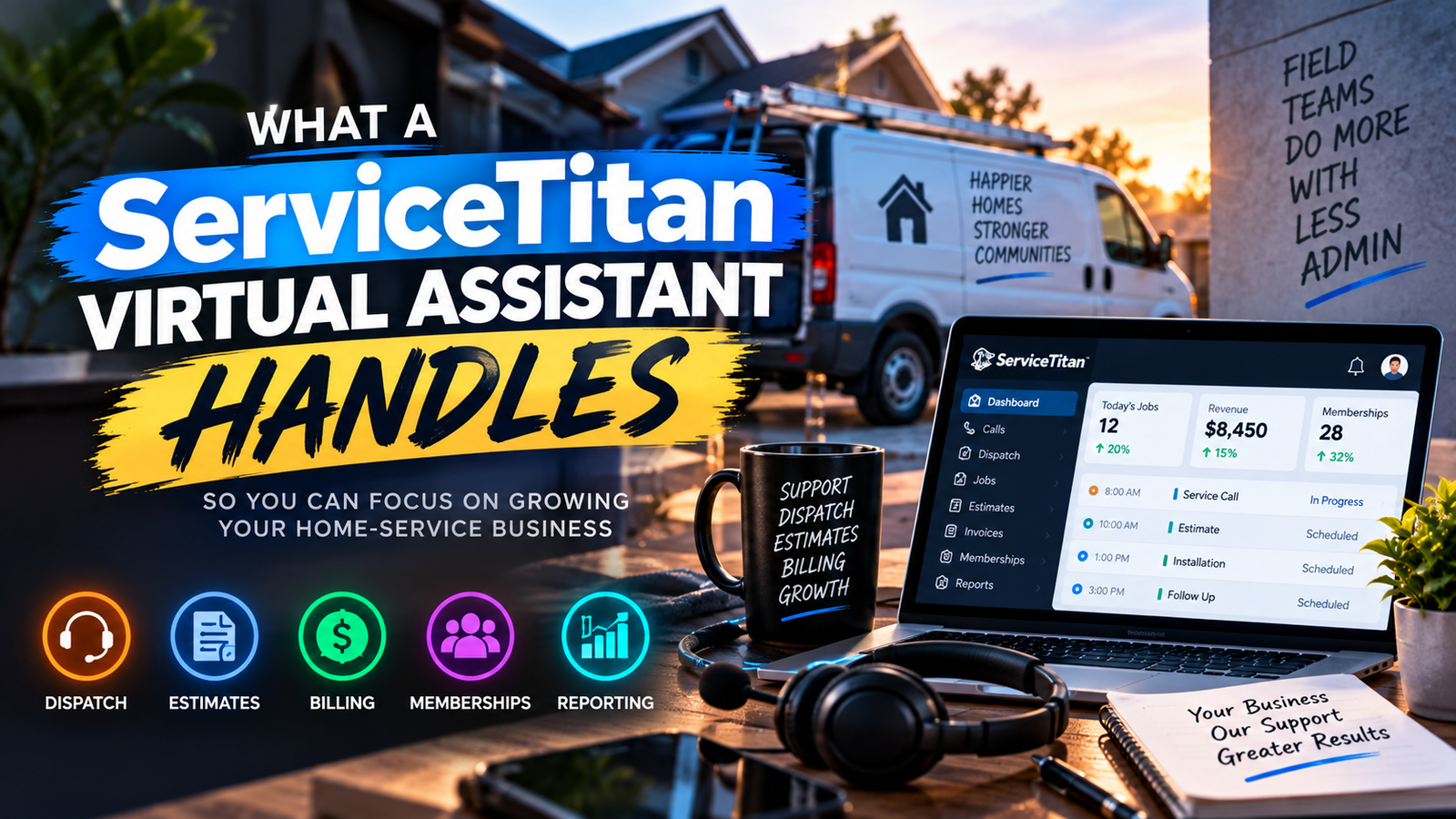
Data is the new oil, but most small to mid-sized businesses (SMBs) are currently covered in sludge. You have information pouring in from your CRM, your accounting software, your field service management tools, and those endless spreadsheets your team insists on updating manually. Yet, when you ask a simple question like, "Which marketing channel produced the highest profit margin last month?" the room goes silent.
This is "Admin Debt." It is the compounding cost of manual data entry, broken formulas, and the time wasted hunting for insights that should be visible at a glance. In 2026, relying on a monthly "look-back" report is a recipe for profit leakage. You need real-time clarity. You need a Power BI Virtual Assistant.
At Virtual Nexgen Solutions, we see business owners drowning in numbers but starving for knowledge. A specialized Power BI VA doesn’t just build a pretty chart; they build a revenue recovery engine. They turn your chaotic data into a streamlined command center, allowing you to stop guessing and start scaling.
The Brutal Reality of Admin Debt in Reporting
Most SMBs operate in a state of perpetual data fog. You know you’re making money (hopefully), but you don’t exactly know where it’s coming from or where it’s being wasted. This fog is caused by Admin Debt, the collection of manual workarounds and "quick fixes" in your reporting process that eventually break.
Think about your current process. Someone exports a CSV from QuickBooks. Someone else exports a report from ServiceTitan. A third person tries to mash them together in Excel. By the time the "Final_Report_v4_Actual_Final.xlsx" hits your desk, the data is three days old and likely contains at least one broken VLOOKUP that invalidates the entire summary.
This isn't just an inconvenience; it’s a financial drain. While an in-house data analyst might demand a $60,000 to $90,000 annual salary plus benefits, a Virtual Nexgen Solutions VA costs just $8 per hour. The difference? You get the same (or better) high-level technical execution without the massive overhead that kills your margins.
6 Daily Pain Points a Power BI VA Solves
If any of these scenarios sound familiar, your business is leaking revenue through poor data visibility:
- The "Excel Finger-Pointing" Game: Different departments present different numbers for the same metric because their manual spreadsheets aren't synced.
- The 48-Hour Delay: You have to wait until Tuesday to see how the previous week performed because the data "needs to be cleaned."
- The Formula Ghost: Your lead analyst (or the one person who knows Excel) is on vacation, and now nobody knows how to update the dashboard.
- Invisible Profit Leaks: You’re high on revenue but low on cash because you haven't realized a specific service line has seen a 20% spike in labor costs.
- Data Silos: Your CRM doesn't talk to your accounting software, so you can't see the true Customer Acquisition Cost (CAC).
- Report Fatigue: You receive 50-page PDF reports that you never read because the most important information is buried on page 34.
The Power BI VA: Your Human-Led Command Center
A Power BI Virtual Assistant from Virtual Nexgen Solutions is more than a data entry clerk. They are a technical specialist trained to manage the entire lifecycle of your business intelligence stack. They handle the "dirty work" of data, cleaning, modeling, and maintaining, so you can focus on the "high-value" work of making decisions.
Unlike generic assistants, a Power BI VA understands the relationship between fields in a database. They know how to use Power Query to transform messy data and DAX (Data Analysis Expressions) to create complex calculations that reveal the truth about your business health.
By moving from manual Excel to a maintained Power BI environment, you transition from a "reactive" business to a "proactive" one. You don't just see what happened; you see what is happening right now.
10 Specific Tasks Your Power BI VA Will Handle
- Data Extraction: Pulling data from QuickBooks, ServiceTitan, EZLynx, or any industry-specific CRM.
- Power Query Transformation: Cleaning up duplicate records, fixing formatting errors, and merging disparate data sources.
- DAX Development: Writing custom formulas for Year-to-Date growth, rolling averages, and profit margins.
- Dashboard Design: Creating intuitive, visual layouts that highlight Key Performance Indicators (KPIs).
- Refresh Management: Ensuring that data gateways are functioning so your reports stay current.
- Report Distribution: Systematizing the delivery of reports to department heads via email or Microsoft Teams.
- Data Validation: Regularly auditing reports against source systems to ensure 100% accuracy.
- Security Filtering: Setting up Row-Level Security (RLS) so managers only see the data relevant to their specific branch or territory.
- Cross-Platform Integration: Connecting your marketing spend (Google Ads/Facebook) to your sales revenue for true ROI tracking.
- Historical Trend Analysis: Visualizing year-over-year data to identify seasonal patterns and plan inventory or staffing accordingly.
12 Tactical SOPs for Data Mastery
To ensure your Power BI VA delivers maximum value, you need standardized processes. Here are 12 tactical SOPs that Virtual Nexgen Solutions VAs follow to keep your data engine running.
1. Daily Data Source Audit
The Goal: Ensure all source connections (API or Cloud) are active.
- Step 1: Log into the Power BI Service workspace every morning at 8:00 AM.
- Step 2: Check the "Refresh History" for all active semantic models.
- Step 3: Identify any failed refreshes and check the error logs.
- Step 4: Re-authenticate credentials if a token has expired.
- Best Practice: Never leave a failed refresh for more than 4 hours; stale data leads to bad decisions.
2. Power Query Transformation (Cleaning)
The Goal: Convert "raw" data into a usable format.
- Step 1: Open the Power BI Desktop file and enter the "Transform Data" editor.
- Step 2: Apply "Remove Duplicates" based on unique IDs (e.g., Invoice Number).
- Step 3: Use "Change Type" to ensure dates and currencies are correctly categorized.
- Step 4: Create a "Date Table" to allow for time-intelligence calculations.
- Best Practice: Always rename transformation steps in the "Applied Steps" pane so the logic is easy to audit later.
3. DAX Formula Maintenance
The Goal: Keep business logic updated as the company grows.
- Step 1: Audit all "Measures" monthly to ensure they reflect current business definitions (e.g., if "Gross Profit" now includes a new cost category).
- Step 2: Document every complex DAX formula with comments (using //) explaining the logic.
- Step 3: Test new measures against a manual calculation in Excel to verify accuracy.
- Best Practice: Organize measures into dedicated "Measure Tables" to keep the data pane clean.
4. Revenue Recovery Dashboard Design
The Goal: Highlight missed opportunities.
- Step 1: Create a visual for "Quotes Sent vs. Invoices Paid."
- Step 2: Add a "Days Sales Outstanding" (DSO) gauge to track how long it takes customers to pay.
- Step 3: Filter by salesperson or technician to identify underperformers.
- Best Practice: Use red/yellow/green color coding to immediately draw the eye to critical issues.
5. QuickBooks to Power BI Integration
The Goal: Get a real-time view of financial health.
- Step 1: Connect Power BI to the QuickBooks Online API or use a third-party connector.
- Step 2: Map the "Chart of Accounts" to custom reporting categories.
- Step 3: Build a dynamic P&L statement that allows for "drill-down" into specific transactions.
- Best Practice: Schedule refreshes to happen four times daily to keep cash flow data accurate.
6. ServiceTitan Field Performance Tracking
The Goal: Optimize HVAC and Plumbing technician efficiency.
- Step 1: Pull technician performance data (Average Ticket, Conversion Rate).
- Step 2: Visualize "Drive Time" vs. "Wrench Time" to identify scheduling bottlenecks.
- Step 3: Create a leaderboard to encourage healthy competition among the field team.
- Best Practice: Share these dashboards in the morning huddle to drive immediate behavior changes.
7. CRM Lead Attribution Mapping
The Goal: Determine exactly which marketing dollars are working.
- Step 1: Link lead source data from the CRM (e.g., HubSpot or Salesforce) to closed-won revenue in the accounting system.
- Step 2: Calculate "Cost Per Lead" vs. "Cost Per Acquisition" (CPA).
- Step 3: Identify sources that produce high volume but low-quality leads.
- Best Practice: Use a "Sankey Diagram" visual to show the flow from lead to cash.
8. Real Estate Portfolio Visualization
The Goal: Monitor occupancy and rent collection across multiple properties.
- Step 1: Import data from property management software.
- Step 2: Create a map visual showing property locations and their current status.
- Step 3: Build a "Lease Expiry" countdown timer to prevent vacancies.
- Best Practice: Link to our guide on Social Media for Real Estate to see how data drives marketing strategy.
9. Logistics and Trucking Dispatch Efficiency
The Goal: Reduce deadhead miles and optimize fuel costs.
- Step 1: Integrate ELD (Electronic Logging Device) data with dispatch records.
- Step 2: Create a dashboard tracking "Revenue Per Mile" by driver and route.
- Step 3: Visualize fuel price trends at frequent stop locations to suggest cheaper alternatives.
- Best Practice: Monitor "Idle Time" to identify drivers needing additional training.
10. E-commerce Inventory Management
The Goal: Prevent stockouts and overstocking.
- Step 1: Connect Shopify or Amazon Seller Central data.
- Step 2: Build a "Days of Stock Remaining" calculation based on recent sales velocity.
- Step 3: Set up email alerts when inventory levels drop below a certain threshold.
- Best Practice: Use the "Decomposition Tree" visual to understand which factors are driving inventory delays.
11. Legal Case Load & Billing Audit
The Goal: Ensure every billable hour is captured.
- Step 1: Export data from Clio or MyCase.
- Step 2: Compare "Hours Logged" vs. "Hours Billed" to identify revenue leakage.
- Step 3: Visualize case duration trends to improve future quoting.
- Best Practice: Categorize cases by "Practice Area" to see which are the most profitable for the firm.
12. Weekly Performance Report Systematization
The Goal: Ensure stakeholders actually see the data.
- Step 1: Curate the top 5 most important visuals from the dashboard.
- Step 2: Use the Power BI "Subscriptions" feature to schedule an automated email to the leadership team every Monday at 7:00 AM.
- Step 3: Include a brief summary of "What changed since last week."
- Best Practice: Keep the mobile view optimized so owners can check numbers from their phones.
Software and Tools Our VAs Master
When you hire a Power BI Virtual Assistant from Virtual Nexgen Solutions, you aren't just getting someone who knows one program. They are proficient in the entire ecosystem required to make your data useful:
- Microsoft Power BI Desktop & Service: The core platform for building and sharing reports.
- Power Query: For advanced data cleaning and ETL (Extract, Transform, Load) processes.
- DAX Studio: For optimizing complex formulas and improving report speed.
- SQL (Basic to Intermediate): For querying databases directly when APIs are insufficient.
- Microsoft Excel: For the occasional "ad-hoc" analysis and data preparation.
- Integration Platforms: Experience with tools that connect Power BI to QuickBooks, ServiceTitan, and various CRMs.
Why $8/Hour is the Smarter Path to Data Maturity
The typical path for an SMB is to try and do it themselves or hire a local consultant. The "DIY" path leads to Admin Debt, hours of the owner's time wasted on YouTube tutorials only to end up with a broken dashboard. The "Consultant" path often involves a $150/hour rate for a project that ends as soon as the dashboard is built, leaving you with no one to maintain it when the data inevitably changes.
Virtual Nexgen Solutions provides a third way. At $8 per hour, you get a dedicated Power BI VA who doesn't just build the system but lives in it. They maintain it, update it, and ensure that as your business evolves, your data stays accurate. It is the most cost-effective way to transition from a "data-rich" business to a "revenue-rich" one.
By offloading the technical burden of reporting, you free up your internal team to do what they do best: closing deals, serving clients, and growing the company. You can read more about how this human-led approach compares to other models in our AI Automation Guide.
Frequently Asked Questions
1. Is my data safe with a Virtual Assistant?
Absolutely. We prioritize security by using the Row-Level Security (RLS) features within Power BI. Your VA can build the reports without necessarily having access to sensitive individual employee data or client personal information, depending on the permissions you set. We also encourage the use of secure VPNs and password management tools.
2. Can a Power BI VA work with my specific industry software?
Yes. Our VAs are experienced in integrating Power BI with a wide range of platforms including ServiceTitan for HVAC/Plumbing, EZLynx for Insurance, and various specialized legal and medical CRMs. If your software can export a CSV or has an API, we can build a dashboard for it.
3. Do I need a Power BI Pro license?
To share reports and dashboards with your team, Microsoft generally requires a Power BI Pro license (usually around $10/user/month). Your VA can build the reports on the free version, but the Pro license is recommended for business-wide visibility.
4. How long does it take to see results?
Within the first week, a Virtual Nexgen Solutions VA can typically clean your primary data source and build a "Level 1" dashboard that shows your basic KPIs. More complex integrations usually take 2-4 weeks to refine and validate.
5. What is the difference between a Data Entry VA and a Power BI VA?
A Data Entry VA simply moves information from point A to point B. A Power BI VA understands the logic of the data. They can write formulas (DAX), transform data structures (Power Query), and design visuals that tell a story. They are a technical specialist, not just an administrative one.
6. Can they help with our existing Excel sheets?
Yes. Part of the Power BI VA's job is often "Excel Remediation": taking your messy, slow spreadsheets and systematizing them into a clean Power BI semantic model that refreshes automatically.
7. Do I have to manage the VA myself?
While you provide the business goals and KPIs, Virtual Nexgen Solutions provides the framework and SOPs for the VA to follow. We make the onboarding process seamless so you can get back to running your business.
8. Why is Virtual Nexgen Solutions better than a local freelancer?
A local freelancer often works on a project-by-project basis and may disappear after the dashboard is "done." We provide ongoing, consistent support at a fraction of the cost ($8/hour). We are your long-term partner in maintaining your business intelligence stack.
Stop Guessing. Start Scaling.
Every day you spend without clear visibility into your data is a day you are likely losing money. Whether it’s an HVAC business missing out on upsell opportunities or a CPA firm struggling to manage caseloads during tax season, the answer is always in the data: you just need a way to see it.
The "Admin Debt" of manual reporting is a weight on your company's growth. Shed that weight today. Let a human-led Power BI Virtual Assistant from Virtual Nexgen Solutions turn your raw data into your most valuable asset.
Ready to recover your lost revenue? Schedule a 30-minute discovery call with Virtual Nexgen Solutions and let’s look at your current data stack. We’ll show you exactly how an $8/hour specialist can provide the $60,000/year clarity your business deserves.