You open QuickBooks and your heart sinks. There are 1,400 transactions in the "Review" tab. Your "Uncategorized Expenses" account has a balance that could buy a luxury car. Your CPA just sent a third follow-up email asking for the March reconciliation, and it is already July.
This is not just "messy bookkeeping." This is Admin Debt.
Admin Debt is the accumulated cost of postponed administrative tasks. In the world of finance, it is a silent killer of small businesses. When your books are a mess, you aren't just disorganized, you are flying your business blind. You cannot see your real margins. You cannot forecast cash flow. You cannot make confident hiring or purchasing decisions. Worst of all, you are likely suffering from Profit Leakage.
Profit Leakage occurs when unbilled expenses, missed tax deductions, and duplicate vendor payments slip through the cracks of a neglected QuickBooks file. For a business doing $2M in revenue, even a 2% leakage rate is $40,000 straight off the bottom line.
Virtual Nexgen Solutions understands that as a business owner, you didn't start your company to become a data entry clerk. You started it to lead, innovate, and grow. Every hour you spend trying to figure out why your Balance Sheet doesn't match your bank statement is an hour stolen from your highest-value activities.
7 Signs Your QuickBooks Needs a Professional Cleanup
If you recognize more than two of these symptoms, your financial foundation is crumbling.
- Unreconciled Bank Accounts: You haven't performed a formal reconciliation in over three months. The "Statement Balance" and "QuickBooks Balance" are separated by a gulf of "uncleared" transactions that date back to last year.
- The "Uncategorized" Graveyard: Your Profit & Loss statement shows a massive amount sitting in "Uncategorized Income" or "Uncategorized Expense." This is the ultimate red flag for the IRS and a sign of operational failure.
- Balance Sheet Ghosts: You see negative balances in asset accounts (like your checking account) or positive balances in liability accounts that you know are paid off. Your "Undeposited Funds" account is a black hole of old payments that were never matched to deposits.
- CPA Friction: Your tax professional charges you thousands of dollars in "accounting fees" before they even start your tax return. This is because they are spending 15 hours doing the basic cleanup you should have done monthly.
- Duplicate Transactions: You’ve imported the bank feed twice, or you’ve manually entered a bill and then added the bank feed payment as a separate expense. Your expenses are artificially inflated, and your profit looks lower than it is.
- Stale Accounts Receivable (A/R): Your A/R aging report shows clients who owe you money from 180 days ago, but you know they’ve already paid. You just haven't applied the payments correctly.
- The Dread Factor: You avoid opening QuickBooks because the red notification bubbles cause physical stress. You are making decisions based on your "gut" and your bank balance rather than actual financial data.
The Truth About Industry Statistics: Why Messy Books Kill Growth
The data is clear: financial mismanagement is the leading cause of business failure in the United States. According to industry research, over 80% of small businesses that fail cite cash flow problems as the primary reason.
In industries like Construction, HVAC, and Logistics, where margins are tight and equipment costs are high, the lack of real-time financial visibility is catastrophic.
- Insurance Agencies lose an average of 5-8% of their potential renewal revenue due to poor tracking of non-pay cancellations.
- Law Firms often leave 10% of billable hours on the table because their trust accounting and expense tracking are not systematized.
- E-commerce businesses often overpay sales tax by thousands of dollars because they haven't reconciled their Shopify or Amazon payouts with their actual bank deposits.
When you hire a QuickBooks expert virtual assistant from Virtual Nexgen Solutions, you aren't just buying "help." You are installing a financial early-warning system that prevents these statistics from becoming your reality.
What Is a QuickBooks Expert Virtual Assistant?
A QuickBooks expert virtual assistant (VA) is not a generalist. They are not someone who simply "knows how to use a computer." They are specialized financial operations professionals, often holding QuickBooks ProAdvisor certifications.
At Virtual Nexgen Solutions, our QuickBooks VAs are trained to handle the technical nuances of the software, including:
- Chart of Accounts Optimization: Designing a structure that makes sense for your specific industry (e.g., Job Costing for Construction or Trust Accounting for Law).
- Third-Party Integrations: Managing the flow of data from Gusto (payroll), Bill.com (AP), Stripe (payments), and Hubdoc (receipt management).
- Compliance & Audit Trails: Ensuring every transaction has a digital "paper trail" attached (receipts, invoices) so you are 100% audit-ready.
Unlike a US-based bookkeeper who may charge $50 to $100 per hour, a Virtual Nexgen Solutions VA provides the same level of expertise for $8 per hour. This allows you to have a full-time financial watchdog for a fraction of the cost.
The $24,000 QuickBooks Cleanup Math
Let's look at the cold, hard numbers. Many business owners think they are "saving money" by doing their own books or hiring a part-time local bookkeeper.
The In-House Reality:
- Average US Bookkeeper Salary: $55,000/year
- Taxes, Benefits, and Overhead: $15,000/year
- Total Cost: $70,000/year
The "Do It Yourself" Reality:
- Owner Salary (Market Value): $150,000/year ($75/hour)
- Time spent on bookkeeping/cleanup: 5 hours/week
- Total Opportunity Cost: $19,500/year (plus the cost of errors!)
The Virtual Nexgen Solutions Reality:
- Expert VA Rate: $8/hour
- Full-time (40 hours/week): $1,280/month
- Total Cost: $15,360/year
By switching to a specialized VA, you save over $54,000 annually compared to an in-house hire, and you reclaim nearly 250 hours of your own time compared to the DIY route. Furthermore, a clean set of books typically reduces your CPA’s year-end bill by $2,000 to $5,000 because they no longer have to perform "emergency surgery" on your data.
25 Tasks a QuickBooks Expert VA Can Handle
Our specialized VAs dive deep into your operations. Here is a comprehensive list of what they manage:
Category 1: The 30-Day Cleanup & Historical Fix
- Reconcile all bank and credit card accounts for the current and prior fiscal year.
- Clear the "Undeposited Funds" account by matching old payments to deposits.
- Categorize all "Uncategorized Income/Expense" items based on bank rules and historical patterns.
- Audit the Chart of Accounts and merge duplicate or unnecessary categories.
- Verify "Opening Balance Equity" and ensure it ties to prior tax returns.
Category 2: Monthly Maintenance & Hygiene
- Daily entry and categorization of bank feed transactions.
- Weekly reconciliation of high-volume accounts to catch errors early.
- Management of the "Ask My Accountant" folder for owner clarification.
- Receipt management and attachment via Hubdoc or Dext.
- Month-end close procedures to lock the books.
Category 3: Accounts Receivable (A/R) - Getting You Paid
- Generating and sending professional invoices to clients.
- Monitoring A/R aging reports and sending polite payment reminders.
- Applying customer payments (Checks, ACH, Credit Card) to open invoices.
- Resolving billing discrepancies with customers.
- Setting up recurring billing for subscription or retainer clients.
Category 4: Accounts Payable (A/P) - Managing Cash Out
- Entering vendor bills into QuickBooks or Bill.com.
- Managing the approval workflow for bill payments.
- Scheduling payments to ensure no late fees are incurred.
- Reconciling vendor statements to ensure all credits are applied.
- Managing 1099 contractor documentation (W-9 collection).
Category 5: Payroll & Reporting
- Prepping payroll data for processing in Gusto or ADP.
- Recording payroll journal entries to split out taxes, benefits, and net pay.
- Generating Monthly Profit & Loss, Balance Sheet, and Statement of Cash Flows.
- Custom reporting (e.g., Profitability by Job, Department, or Location).
- Preparing the "Tax Ready" folder for your CPA at year-end.
Actionable SOPs: Your Roadmap to Financial Clarity
We don't just provide people; we provide systems. Here are 5 Standard Operating Procedures (SOPs) that our VAs implement on day one.
SOP 1: The 30-Day QuickBooks Cleanup Engine
- Objective: Clear 12 months of "Admin Debt" in 4 weeks.
- Step 1: VA performs a "Diagnostic Review" of the last 12 months of the Balance Sheet.
- Step 2: VA identifies all accounts that haven't been reconciled.
- Step 3: VA works backward from the most recent bank statement to the oldest, clearing one month every two days.
- Step 4: Owner reviews the "Uncategorized" list once a week via a shared Google Sheet.
- Step 5: Final reconciliation to the prior year's tax return to ensure the "Starting Point" is accurate.
SOP 2: The Daily Bank Feed Triage
- Objective: Prevent the backlog from ever returning.
- Step 1: Every morning at 9 AM, the VA logs into QuickBooks Online.
- Step 2: VA categorizes all new transactions based on pre-set "Bank Rules."
- Step 3: For new or unknown vendors, VA researches the vendor online to determine the correct account.
- Step 4: Any transaction over $500 without a receipt is flagged for the owner.
- Step 5: Daily "Categorization Audit" ensures no items remain in "Uncategorized" for more than 24 hours.
SOP 3: The A/R "Follow-Up" System
- Objective: Reduce Days Sales Outstanding (DSO) and boost cash flow.
- Step 1: VA runs an A/R Aging Report every Tuesday.
- Step 2: For invoices 1-7 days past due, VA sends an automated "Friendly Reminder."
- Step 3: For invoices 15+ days past due, VA sends a personalized email or makes a brief courtesy call.
- Step 4: For disputed invoices, VA gathers all documentation (contracts, emails) and presents it to the owner for a decision.
- Step 5: Weekly report sent to the owner: "Cash Collected This Week vs. Expected."
SOP 4: The Receipt Management Workflow (Hubdoc/Dext)
- Objective: Eliminate the "Shoebox of Receipts" and ensure 100% audit compliance.
- Step 1: Owner or staff takes a photo of receipts via the Hubdoc app.
- Step 2: VA reviews the digital receipt and extracts data (Vendor, Date, Amount, Tax).
- Step 3: VA matches the digital receipt to the specific transaction in QuickBooks.
- Step 4: If a transaction in the bank feed has no matching receipt, VA emails the vendor to request a PDF copy.
- Step 5: Monthly "Audit Ready" report confirms all major expenses have supporting documentation.
SOP 5: The Month-End Close Package
- Objective: Provide the owner with a "Financial Scorecard" to lead the business.
- Step 1: By the 3rd of the month, all bank accounts are reconciled.
- Step 2: VA reviews the Profit & Loss for any anomalies (e.g., "Why is our Insurance expense 2x higher this month?").
- Step 3: VA prepares a 3-page "Executive Summary": P&L, Balance Sheet, and Accounts Receivable.
- Step 4: VA schedules a 15-minute "Finance Review" with the owner to explain the numbers.
- Step 5: Once approved, VA "locks" the period in QuickBooks to prevent accidental changes to historical data.
Case Studies: Real-World ROI
Case Study 1: P&C Insurance Agency in Texas
- Scenario: A growing Farmers Insurance agency had been handling its own books for 3 years. The owner was 9 months behind on reconciliations, and the "Undeposited Funds" account showed $84,000 that couldn't be accounted for. The CPA quoted $6,500 just for the cleanup.
- Virtual Nexgen Solution: We assigned a QuickBooks Expert VA at $8/hour.
- The Impact: In 22 days, the VA reconciled all 9 months. They discovered $12,000 in duplicate vendor payments (which were recovered) and identified $18,000 in missed tax-deductible expenses.
- Total ROI: The agency saved $5,000 on CPA fees and recovered $12,000 in cash. Total cost of the VA for the cleanup: $1,408.
Case Study 2: HVAC Company in Colorado
- Scenario: An HVAC company with 12 trucks was drowning in "Admin Debt." They were using ServiceTitan but weren't syncing it correctly with QuickBooks. Their Balance Sheet showed they had $500,000 in "Inventory" that didn't exist, making them ineligible for a much-needed line of credit.
- Virtual Nexgen Solution: A specialized VA implemented the ServiceTitan-QuickBooks sync SOP and performed a full inventory audit.
- The Impact: The VA corrected the inventory balances, cleared $40,000 in stale A/R, and produced a "Lender-Ready" financial package.
- Total ROI: The company secured a $250,000 line of credit within 45 days of the cleanup. The VA now handles their daily billing, saving the owner 15 hours of work per week.
Expert Opinions & Industry Insights
The "Profit First" Perspective:
Modern financial experts suggest that "Revenue is vanity, Profit is sanity, but Cash is reality." A QuickBooks VA allows you to transition to a "Profit First" model by ensuring your cash allocations to tax, owner pay, and profit accounts are managed with surgical precision every single week.
The CPA Consensus:
Most CPAs do not want to do your bookkeeping. They want to be your strategic tax advisors. By handing off the "grunt work" to a Virtual Nexgen VA, you allow your CPA to focus on high-value tax mitigation strategies that can save you tens of thousands of dollars.
Common Mistakes When Hiring a QuickBooks VA
- Hiring for "General Admin" and expecting "Expert Accounting": A VA who is great at scheduling appointments is usually terrible at reconciling a Balance Sheet. Always hire a specialized QuickBooks VA.
- Lack of Clear SOPs: If you don't give your VA a process (like the ones listed above), they will inherit your messy habits. Demand a systematized approach.
- No Communication Loop: You must have a weekly 15-minute meeting or a shared "Ask My Accountant" folder. Accounting is a partnership, not a "set it and forget it" task.
- Skipping the Background Check: Your books are the heart of your business. Virtual Nexgen Solutions vets every VA to ensure maximum security and reliability.
Future Trends: QuickBooks Operations in 2027
As we move into 2027, the focus is shifting toward "Real-Time Intelligence." Businesses will no longer wait 30 days to see how they performed.
- Predictive Cash Flow: VAs will use sophisticated forecasting models (within QuickBooks) to tell you exactly when you will run low on cash three months in advance.
- Hyper-Specialization: You won't just hire a "bookkeeper." You will hire a "Real Estate Property Management QuickBooks Specialist" or a "Trucking Dispatch & Settlements Specialist."
- Integration Ecosystems: The "Modern Accounting Stack" will involve 5-7 specialized apps (Gusto, Bill.com, Fathom, etc.) all talking to each other, managed by a single expert VA.
Tips and Tricks for Maximum Efficiency
- Tip 1: Use Bank Rules, but Audit Them. Set up rules for recurring expenses (Rent, Utilities, Software) but have your VA review them monthly to catch price hikes or duplicate charges.
- Tip 2: Never Mix Personal and Business. This is the #1 cause of "Messy Books." Use a business-only card for every single transaction.
- Tip 3: The "90% Rule." Aim to have 90% of your transactions categorized and matched within 48 hours. This keeps the data "fresh" in your mind.
- Tip 4: Leverage the "Notes" Field. Have your VA add a brief note to any large or unusual transaction. This will save you hours of explaining it to your CPA later.
Frequently Asked Questions
- Is my data safe with a virtual assistant? Yes. We use secure access methods like QuickBooks "Standard User" permissions, which prevent the VA from moving money out of your accounts while allowing them to perform all accounting tasks.
- What if my QuickBooks is a complete disaster? Our "30-Day Cleanup SOP" is specifically designed for disasters. We've seen it all, and we can fix it.
- Do I need QuickBooks Online or Desktop? We recommend QuickBooks Online for its better integration capabilities, but our VAs are experts in both versions.
- How do I send receipts to my VA? You can use Hubdoc, Dext, or simply upload them to a shared Dropbox/Google Drive folder.
- Can a VA handle my payroll? Absolutely. They can prep the hours, record the entries, and ensure your payroll liabilities are reconciled.
- Will my CPA still be needed? Yes. Your VA handles the daily "Operations," while your CPA handles "Strategy" and "Tax Filing." They make a perfect team.
- What industries do you specialize in? We focus on Insurance, Real Estate, Legal, Medical, Logistics, HVAC, Construction, Plumbing, E-commerce, and Accounting/CPA firms.
- How long does it take to start? We can typically match you with a specialized VA and begin the cleanup process within 3-5 business days.
- What if I only need 10 hours a week? We offer flexible plans, although most businesses find that once they see the value, they move to full-time support.
- Does the VA work in my time zone? Yes. We provide 24/7 availability and ensure your VA is online during your core business hours.
- How much does a cleanup cost? There is no "extra" fee for cleanup. You simply pay the $8/hour rate for the time it takes to get the books current.
- Can the VA help with Bill.com? Yes. Our VAs are experts in the entire "Accounting Stack," including Bill.com, Gusto, and Hubdoc.
- Will the VA talk to my customers about unpaid invoices? Yes. They can act as your "Accounts Receivable Manager" and handle professional collections.
- What is the first thing the VA will do? They will perform a "Diagnostic Audit" to see exactly where the mess is and create a cleanup roadmap.
- Can the VA handle 1099s? Yes. They collect W-9s throughout the year and prepare the 1099 data in January.
- How do I track the VA’s work? We provide daily reports and use time-tracking software so you know exactly what was accomplished.
- Can the VA handle multiple companies? Yes. Many of our clients have multiple LLCs, and one VA manages the inter-company transfers and reconciliations for all of them.
- Do you provide training for my existing staff? While we focus on performing the tasks, our VAs can certainly help your team implement better receipt-capture habits.
- What happens if I'm not happy with my VA? We have a "Perfect Match Guarantee." If it's not working out, we will find a replacement who better fits your needs immediately.
- Why is it only $8 per hour? By leveraging global talent and our specialized training systems, we provide high-level expertise at a price point that makes sense for small businesses.
Conclusion
Your QuickBooks file is a reflection of your business's health. A messy file isn't just an "admin task": it is a liability that is costing you money, sleep, and growth opportunities.
By hiring a QuickBooks expert virtual assistant from Virtual Nexgen Solutions, you are choosing to stop the profit leakage and start building a scalable financial engine. You are choosing to stop being a bookkeeper and start being a CEO.
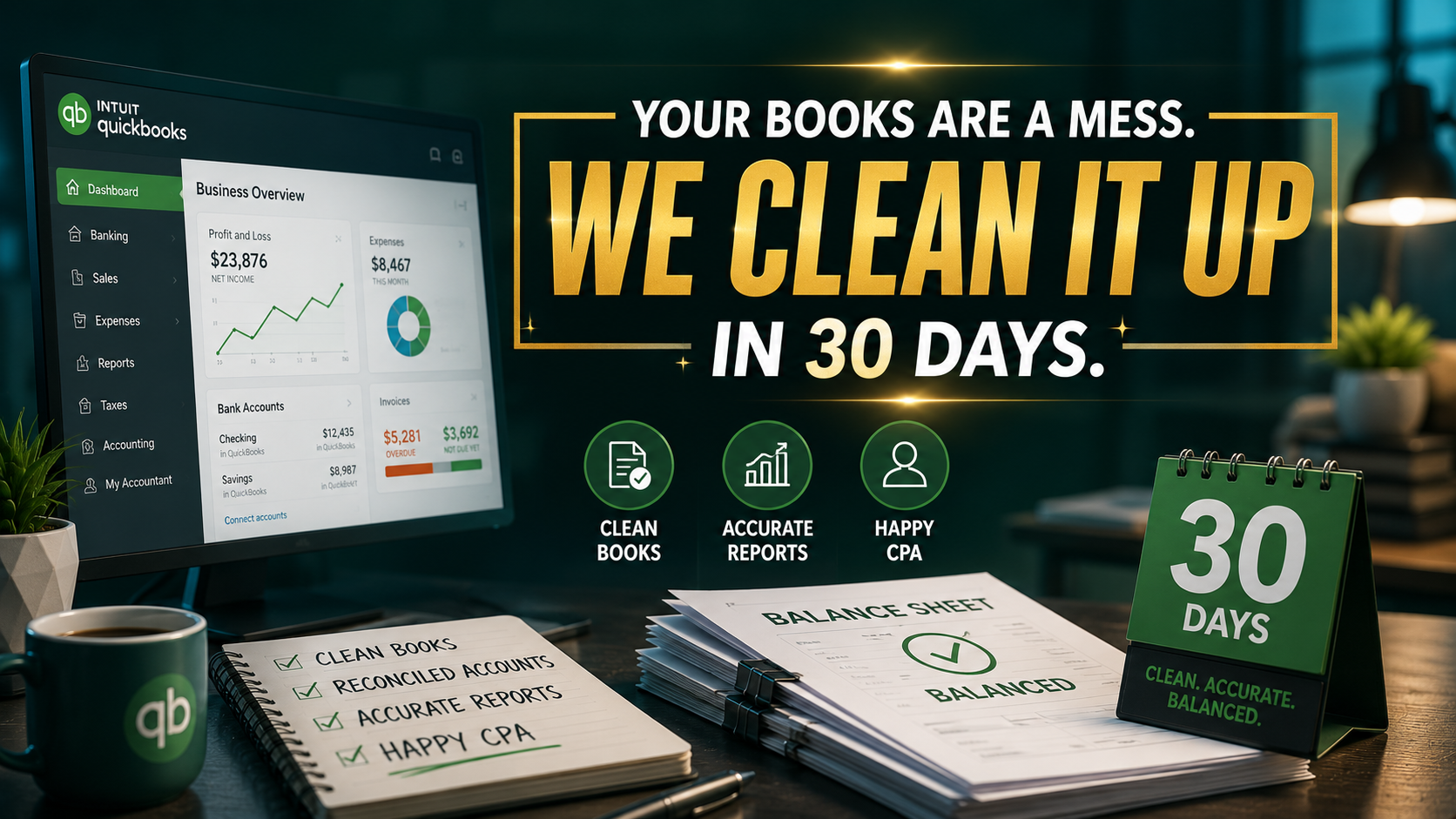
The path from "Messy Books" to "Financial Clarity" takes exactly 30 days. Let us take the burden of Admin Debt off your shoulders so you can focus on what matters: your customers, your team, and your future.