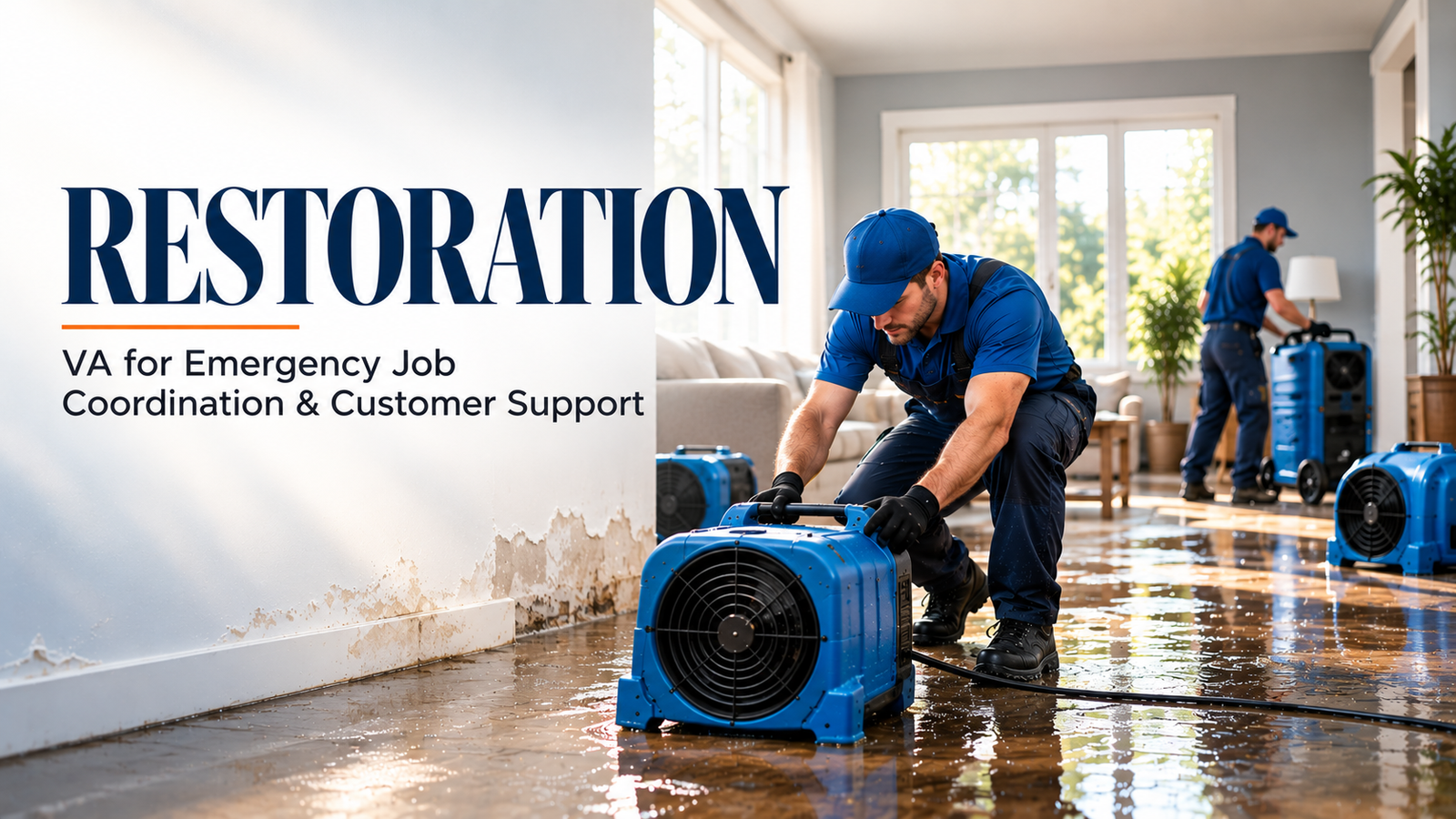
You are standing in a flooded basement at 3 AM, the sound of industrial fans humming in the background, and all you can think about is the mountain of paperwork waiting for you back at the office. In the restoration industry, the physical work is often the easiest part. The real battle begins when you try to get paid. For many restoration owners, "Admin Debt" is a silent profit killer. Every hour a job file sits incomplete in DASH or Encircle is an hour your cash flow remains trapped in an insurance company's approval queue. By 2026, the complexity of TPA (Third Party Administrator) compliance and carrier documentation requirements has reached a breaking point. If your photos aren't time-stamped, your moisture logs are missing a single entry, or your Xactimate sketch has a minor discrepancy, your payment gets pushed to the back of the line.
The solution isn't to work more hours or hire expensive local office staff who demand $60,000 a year plus benefits. The solution is to leverage a specialized Construction Virtual Assistant who acts as your administrative engine. For just $8 per hour, a Restoration VA from Virtual Nexgen Solutions can handle the heavy lifting of documentation, allowing you to focus on the high-margin work in the field. This guide reveals seven tactical hacks to streamline your documentation and accelerate your payouts by 30% or more.
Industry Insights: The Documentation Crisis of 2026
The restoration landscape has shifted. Carriers and TPAs are no longer accepting "good enough" documentation. They demand a digital twin of the loss site, a comprehensive, media-rich narrative that justifies every cent of the estimate. We are seeing a surge in "Incomplete File Syndrome," where restoration firms complete the physical restoration but fail to submit a compliant file for weeks. This leads to massive "Profit Leakage" as overhead costs continue to mount while accounts receivable (AR) age past the 60-day mark.
Independent insurance agencies, MGAs, and restoration wholesalers are also feeling the pressure. They need clean, accurate data to manage risk and process claims efficiently. Whether you use Applied Epic, AMS360, or HawkSoft, the quality of the data entering these systems determines the speed of the payout. A Construction Virtual Assistant bridges the gap between the field technician’s smartphone and the carrier’s desk.
Six Pain Points Bleeding Your Restoration Profits
- The "Paperwork Pile-up" Nightmare: Your field technicians are experts at mitigation and reconstruction, not data entry. They often delay uploading photos or notes until the end of the week, leading to a massive bottleneck that prevents timely invoicing.
- TPA Compliance Traps: Missing a single "required" photo or a specific moisture reading can trigger an automatic rejection from TPA portals. This back-and-forth communication with adjusters can add weeks to your payment cycle.
- Inaccurate Sketching and Estimating: Manual sketching in Xactimate is slow and prone to errors. Disputes over room dimensions are one of the most common reasons carriers push back on estimates, leading to "Profit Leakage" through uncompensated labor.
- The Moisture Log Gap: Proper water mitigation requires daily, precise moisture readings. If your logs are incomplete or inconsistent, carriers will refuse to pay for equipment days, directly hitting your bottom line.
- FNOL Burnout: First Notice of Loss (FNOL) calls don't just happen during business hours. Missing an emergency call at 2 AM means losing a high-value job to a competitor who has 24/7 intake support.
- Stagnant AR Aging: Without a dedicated person following up on open claims and responding to adjuster queries, your money sits in the carrier's bank account instead of yours. This "Admin Debt" limits your ability to invest in new equipment or scale your team.
Hack 1: The Real-Time Encircle Audit
The most effective way to ensure a file is ready for submission is to audit it while the crew is still on-site. A Construction Virtual Assistant can monitor your Encircle dashboard in real-time. As soon as a technician starts a new job, the VA verifies that the initial "Source of Loss" photos, atmospheric readings, and preliminary sketches are being uploaded.
SOP 1: Real-Time Field Documentation Audit
- Log into the Encircle mobile dashboard every 60 minutes during active job hours.
- Identify new files created within the last 2 hours.
- Check for the "Big Five" requirements: Source of loss photo, perimeter photos of all affected rooms, moisture readings for primary materials, equipment layout, and signed authorization forms.
- If any element is missing, immediately send a notification via Slack or SMS to the lead technician.
- Log the audit status in the DASH job notes for office visibility.
SOP 2: Digital Asset Organization
- Access the "Unsorted" folder in the job management software.
- Label every photo according to IICRC standards (e.g., "Pre-Mitigation - Living Room - North Wall").
- Delete duplicate or blurry images to keep the file professional.
- Ensure all photos are geotagged and time-stamped to prevent carrier disputes.
Hack 2: Streamlining Xactimate Supplementing
Wait times for supplements are often the longest part of the claim cycle. A specialized VA can handle the tedious process of entering line items and justifications into Xactimate. By delegating the initial draft and subsequent revisions to a $8/hour professional, you save hours of your own time.
SOP 3: Xactimate Estimate Preparation
- Download the floor plan and moisture logs from Encircle or DASH.
- Open Xactimate and create a new project using the carrier’s specific price list.
- Import the digital sketch or manually enter dimensions provided by the field team.
- Add standard line items for mitigation (e.g., WTR DRY, WTR HEPA, WTR EXT).
- Attach supporting photos to each line item to provide immediate evidence for the cost.
SOP 4: Supplement Submission and Tracking
- Identify discrepancies between the initial carrier estimate and the actual scope of work.
- Create a "Supplement Request" document detailing the reasons for additional line items.
- Upload the supplement package to the carrier portal (e.g., XactAnalysis).
- Set a calendar reminder to follow up with the adjuster every 48 hours until approval.
Hack 3: 24/7 FNOL Intake and Dispatch
Emergency restoration is a 24/7 business. If you don't answer the phone, you don't get the job. A Virtual Nexgen Solutions VA can provide round-the-clock coverage, ensuring every lead is captured and dispatched within minutes.
SOP 5: First Notice of Loss (FNOL) Intake
- Answer all incoming calls using a professional, empathetic script.
- Gather critical information: Customer name, address, insurance carrier, policy number, and type of loss (Water, Fire, Mold).
- Determine the urgency of the situation (e.g., standing water vs. a small leak).
- Create the new job file in DASH and Applied Epic immediately.
- Notify the on-call technician via the preferred dispatch channel.
SOP 6: Emergency Dispatch Coordination
- Contact the on-call technician to confirm receipt of the new job.
- Provide the technician with the customer’s contact details and loss description.
- Update the customer with an estimated time of arrival (ETA).
- Log the dispatch time and technician assignment in the central management system.
Hack 4: IICRC Compliance and Moisture Log Management
Carrier adjusters look for any reason to cut a bill. Missing moisture readings are the low-hanging fruit for them. A Construction Virtual Assistant ensures your logs are mathematically consistent and IICRC-compliant every single day.
SOP 7: Daily Moisture Log Verification
- Access the daily moisture readings uploaded by the field crew.
- Verify that readings are present for all affected materials (drywall, flooring, studs).
- Compare today’s readings with yesterday’s to ensure a downward "drying trend."
- Alert the Project Manager if a room is not drying as expected (potential hidden moisture).
- Format the logs into a clean, PDF report for final submission.
SOP 8: Psychrometric Data Entry
- Collect Grains Per Pound (GPP) and temperature data from dehumidifiers and air movers.
- Enter the data into the psychrometric chart within DASH or Encircle.
- Ensure the "Dry Standard" for the unaffected area is clearly documented as a baseline.
- Flag any anomalies that could indicate equipment failure or improper setup.
Hack 5: TPA Portal Management and Compliance
If you work with TPAs like Alacrity or Contractor Connection, you know the frustration of the "Compliance Score." A Construction Virtual Assistant manages these portals daily to ensure your score stays high, which leads to more job referrals.
SOP 9: TPA Portal Update Cycle
- Log into all active TPA portals (Alacrity, CodeBlue, etc.) every morning.
- Review all "Pending Tasks" or "Documentation Requests" from adjusters.
- Upload missing documents, photos, or estimates as requested.
- Update the "Job Status" (e.g., Mitigation Complete, Reconstruction Pending).
- Ensure the "Last Contact Date" is updated to reflect active management.
SOP 10: Compliance Score Monitoring
- Track key performance indicators (KPIs) within the TPA portal, such as "Time to Contact" and "Estimate Accuracy."
- Identify any jobs that are falling outside of the TPA’s required timeline.
- Coordinate with the field team to resolve the bottleneck (e.g., getting a signature on a Certificate of Completion).
- Prepare a weekly summary of compliance status for the business owner.
Hack 6: Digital Relationship Management with Adjusters
Personal relationships still matter, but they are built on the foundation of professional communication. A VA can manage the high volume of emails and calls required to move a claim through the system.
SOP 11: Adjuster Communication Management
- Monitor the "Claims" inbox for incoming messages from insurance adjusters.
- Categorize emails by job and urgency.
- Respond to simple requests for information (e.g., "Please send the drying log") within 2 hours.
- Draft responses for more complex queries and flag them for the Project Manager’s approval.
- Maintain a log of all communications in the DASH "Notes" section for a full audit trail.
Hack 7: AR Follow-up and Final Payout Coordination
The job isn't finished until the check clears. A Restoration VA from Virtual Nexgen Solutions acts as your persistent advocate, following up on every open invoice to reduce your "AR Aging."
SOP 12: Accounts Receivable Follow-up
- Generate an "Aged AR Report" from the accounting system every Tuesday.
- For all invoices over 30 days old, contact the insurance carrier to verify the payment status.
- If the check has been mailed, record the check number and expected arrival date.
- If the claim is still "Under Review," identify exactly what is missing and provide it immediately.
- Update the DASH file with the latest payment status to keep the entire team informed.
Strategic Software Stack for Restoration Efficiency
To maximize the impact of your Construction Virtual Assistant, you need the right tools. Our VAs are experts in the following industry-standard platforms:
- CoreLogic DASH: The central nervous system for restoration job management, tracking every detail from lead to invoice.
- Encircle: The premier field documentation app for capturing photos, notes, and floor plans with ease.
- Xactimate: The industry-standard estimating software that carriers trust for accurate pricing.
- Slack: The essential tool for real-time communication between your field technicians and your Virtual Nexgen Solutions VA.
Real-World Success: Anonymous Case Studies
Case Study 1: P&C Agency and Restoration Partner in Texas
A property and casualty agency in Texas was struggling with a 45-day average payout cycle for their preferred restoration partners. This delay was causing friction and leading to poor customer satisfaction. By integrating a Construction Virtual Assistant to handle real-time documentation audits and TPA portal management, the agency helped their restoration partner reduce the payout cycle to just 28 days. This 37% improvement in speed led to higher referral volumes and a significant reduction in administrative overhead for the agency.
Case Study 2: Independent Mold Remediation Firm in Florida
A specialized mold remediation company in Florida was losing approximately $5,000 per month in "Profit Leakage" due to incomplete moisture logs and denied supplements. They hired a Virtual Nexgen Solutions VA for $8/hour to manage their IICRC compliance and Xactimate supplementing. Within the first 90 days, the firm saw a 20% increase in average claim value due to better-documented supplements and a 100% approval rate on their drying logs. The ROI was clear: for a small monthly investment, they captured an additional $60,000 in annual revenue that was previously being left on the table.
Why Choose Virtual Nexgen Solutions?
We don't just provide "staff"; we provide an administrative engine tailored for the restoration industry. Our VAs are trained in the specific technical workflows required by DASH, Encircle, and Xactimate. We understand the nuances of IICRC standards and TPA compliance. While a local office admin might cost you $60,000 a year, our specialized virtual assistants offer the same, if not higher, level of expertise for just $8 per hour.
Stop letting "Admin Debt" hold your business back. Every day you wait to streamline your documentation is another day your profits are leaking out of your job files.
Ready to Accelerate Your Payouts?
Don't let another claim sit in "Pending" status. Book a free consultation with Virtual Nexgen Solutions today and discover how our Construction Virtual Assistants can transform your restoration business.
Schedule Your Free Strategy Call Now
Frequently Asked Questions (FAQs)
How can a virtual assistant help with Xactimate estimates?
A Construction Virtual Assistant can take the sketches, photos, and scope notes from your field team and draft a comprehensive estimate in Xactimate. They ensure that all industry-standard line items are included and justified with proper documentation, which reduces the need for time-consuming supplements later.
What software do your restoration VAs know how to use?
Our VAs are proficient in the most common restoration tools, including DASH, Encircle, Xactimate, and moisture mapping software. They also have experience with insurance agency management systems like Applied Epic, AMS360, and HawkSoft to ensure seamless communication with carriers.
Is it safe to give a VA access to our DASH or Encircle data?
Yes. At Virtual Nexgen Solutions, we prioritize data security. Our VAs use secure connections and follow strict data handling protocols. You can provide "limited access" roles within your software to ensure they only see the job files and documentation necessary for their tasks.
How does a VA improve my TPA compliance score?
A VA monitors your TPA portals (like Alacrity or CodeBlue) daily. They ensure that contact is made within the required timeframes, photos are uploaded instantly, and status updates are provided regularly. This consistent attention to detail keeps your compliance score high, leading to more job referrals.
Can a VA handle emergency dispatching at night?
Absolutely. We offer 24/7 availability. A VA can answer your FNOL calls at any hour, gather the necessary information, create the job file in your system, and dispatch your on-call technician immediately, ensuring you never miss a high-value emergency job.
What is the cost difference between a local admin and a VA?
A typical local administrative assistant in the US costs roughly $60,000 per year when you factor in salary, taxes, and benefits. A specialized Restoration VA from Virtual Nexgen Solutions costs just $8 per hour, which equates to about $16,000 per year for full-time support, a savings of over $44,000 annually.
How do I manage a remote assistant effectively?
We recommend using communication tools like Slack or Microsoft Teams for real-time updates and DASH for task tracking. Our VAs are accustomed to working within structured SOPs (Standard Operating Procedures), which makes it easy to integrate them into your existing workflow.
Can a VA help with collecting payments from customers and carriers?
Yes. Our VAs can manage your accounts receivable (AR) by following up with carriers on claim status and calling customers to collect deductibles or final payments. This persistent follow-up significantly reduces your AR aging and improves cash flow.
Take Action Today
The restoration industry is too competitive to let administrative bottlenecks slow you down. By implementing these seven hacks and leveraging the power of a specialized Construction Virtual Assistant, you can reclaim your time, eliminate "Admin Debt," and get paid 30% faster.
Ready to streamline your operations?
Book your 30-minute discovery call with Virtual Nexgen Solutions and let's start scaling your restoration business in 2026.