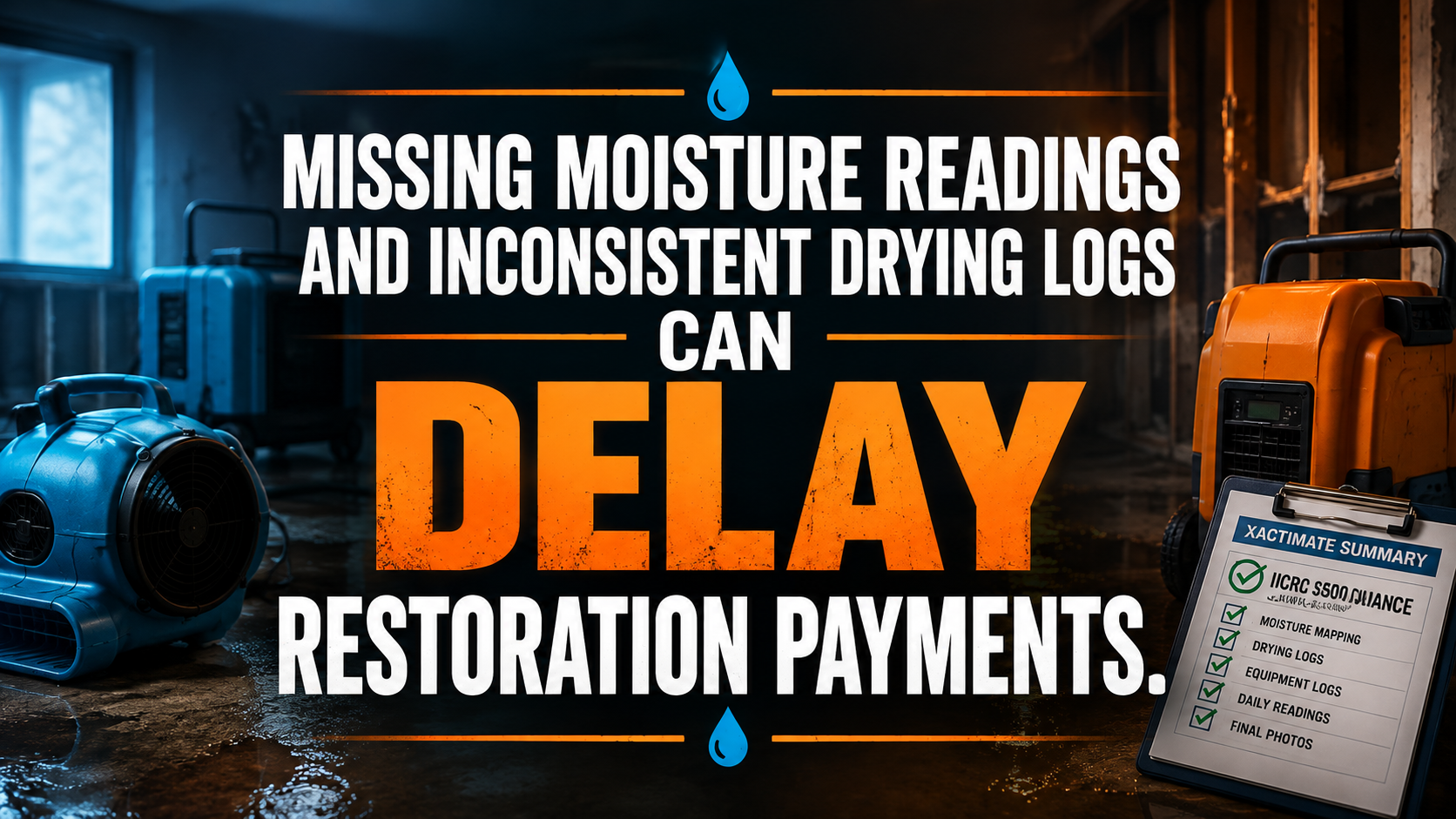
A restoration virtual assistant can protect more than your inbox. The right specialist can help defend the psychrometric records, moisture maps, equipment logs, photos, and claim notes that support your mitigation invoice.
That matters because carrier and TPA desk reviewers often evaluate the file without visiting the property. They judge the work through uploaded evidence. If your drying log has a missing day, your moisture map uses vague locations, or your equipment count does not match the Xactimate estimate, the reviewer may question the entire drying strategy.
Your technicians may have completed excellent work. However, incomplete documentation makes that work difficult to verify. The result can include line-item reductions, repeated information requests, delayed supplements, and longer accounts-receivable cycles.
The problem usually starts in the field but becomes expensive in the back office. Technicians collect data in DASH or Encircle. Estimators prepare the Xactimate file. Project managers answer adjuster questions. Nobody owns the final evidence review from start to finish.
Create that ownership with a dedicated compliance desk.
What does a carrier desk reviewer actually examine?
A desk reviewer wants to determine whether the documentation tells one consistent story. Use this question as your internal standard:
> Can an independent reviewer understand what happened, where it happened, how the drying plan changed, and why every billed equipment day was necessary?
A strong claim package should connect five evidence groups:
- Initial condition
-
- Document the cause of loss.
- Capture affected and adjacent unaffected areas.
- Record initial material moisture readings.
- Establish a reasonable dry standard for each material.
- Moisture mapping
-
- Identify each monitoring point by room, surface, material, and location.
- Use consistent point numbers across maps, photos, logs, and notes.
- Show how moisture migrated through the structure.
- Psychrometric readings
-
- Record temperature, relative humidity, and relevant calculated values such as grains per pound.
- Compare affected areas with unaffected control areas.
- Note outdoor conditions and equipment inlet or outlet readings when relevant.
- Equipment documentation
-
- List air movers, dehumidifiers, air scrubbers, heaters, and other equipment.
- Record placement, movement, removal, and operational rationale.
- Reconcile equipment records with the estimate and invoice.
- Completion evidence
-
- Show final readings against the dry standard.
- Include final photos and completion notes.
- Explain any unresolved conditions, access restrictions, power interruptions, or scope changes.
Use the current ANSI/IICRC S500 standard as a technical reference, but do not treat a virtual assistant as a substitute for a qualified restoration professional. Your field team and technical supervisor must make drying decisions. Your VA should verify that those decisions are documented, traceable, and ready for review.
Build the psychrometric drying log compliance desk
A compliance desk does not mean adding another layer of paperwork. It means assigning a trained person to review the file before the carrier finds the gap.
Use this workflow.
1. Receive the field packet
Set a defined submission point after every inspection or monitoring visit. Require the technician to send:
- Job number and property address
- Visit date and time
- Technician name
- Room or chamber names
- Moisture map or sketch
- Material readings
- Psychrometric readings
- Equipment count and placement
- Site photos
- Notes about changes, obstacles, and customer access
Do not allow the file to remain scattered across text messages, email attachments, and personal camera rolls. Direct every item into the approved job record.
2. Normalize the file
Ask your restoration virtual assistant to standardize names, dates, and locations. For example, replace vague descriptions such as “wet wall” with a consistent label such as:
- Kitchen
- East wall
- Half-inch drywall
- Monitoring point K-EW-02
- Initial reading and daily readings
Keep the same naming convention in DASH, Encircle, Xactimate, cloud storage, and the TPA portal. Consistency reduces the time a reviewer spends trying to interpret your file.
3. Validate the drying log
Assign the VA to check each daily entry for completeness. The review should confirm:
- Date and time are present.
- Affected-area readings are recorded.
- Unaffected control readings are available when required.
- Temperature and relative humidity are documented.
- Moisture readings identify the material and location.
- Equipment changes include a reason.
- The technician is identified.
- Notes explain unusual results or drying delays.
Never allow the VA to invent a missing reading. Flag the exception for the technician or project manager. Preserve the original record and add a clearly labeled correction or explanatory note according to your internal policy.
4. Compare the evidence
Require a three-way reconciliation:
- Drying log to moisture map
- Moisture map to photos
- Equipment log to Xactimate estimate
Look for contradictions such as:
- Two dehumidifiers billed but one shown in the photos
- A bedroom reading recorded on a living-room map
- Equipment removed before final material readings
- A photo date that does not match the monitoring visit
- A new affected area appearing in the estimate without a supporting note
- A moisture reading that improves sharply without an explanation
Create an exception queue. Send only the exceptions requiring technical judgment to your field supervisor.
5. Prepare the claim narrative
A carrier-ready narrative should explain the sequence in plain language:
- Identify the cause and affected areas.
- State the initial conditions.
- Describe the drying plan.
- Summarize daily progress.
- Explain changes to equipment or scope.
- Confirm final readings and completion status.
Use accurate IICRC S500-aligned terminology without copying copyrighted standard language. Avoid exaggerated claims such as “guaranteed compliant.” State what the records show.
6. Upload and track the submission
A drying log has little value if it remains on a local drive. Assign your mitigation back-office support team to upload the complete file to the correct carrier, TPA, or customer portal.
Track:
- Submission date
- Documents uploaded
- Missing items
- Reviewer questions
- Response deadline
- Person responsible
- Final status
Use a follow-up calendar so a claim does not disappear after the first upload.
Where does a drying log QA virtual assistant create the most value?
Focus the role on high-risk points in the claim lifecycle.
Initial inspection review
Ask the assistant to confirm that the initial file contains a cause-of-loss narrative, affected-area photos, dry standards, baseline readings, and a mapped scope. Escalate unclear Category or Class decisions to your qualified supervisor.
Daily monitoring review
Have the VA check whether each equipment day has a corresponding monitoring record. Require an explanation for plateaus, missing visits, power loss, restricted access, new discoveries, or changes in environmental conditions.
Photo and document indexing
Instruct the assistant to sort photos into initial, active drying, demolition, equipment adjustment, and final-condition groups. Tie each image to a room or monitoring point when possible.
Xactimate file support
An Xactimate virtual assistant can organize documentation around the estimate, identify unsupported line items, prepare supplement drafts, and assemble attachments. Keep final scope decisions with your estimator or project manager.
TPA portal administration
A Dash restoration software VA or Encircle virtual assistant can review status fields, upload documents, monitor requests, and maintain submission records. Program requirements differ, so follow the current instructions for each carrier and network.
Accounts-receivable handoff
After submission, require the VA to confirm that the estimate, invoice, signed authorization, drying logs, photos, and completion records are all present. This handoff helps your billing team work from a complete file rather than chase missing evidence later.
How should you delegate technical documentation without creating risk?
Protect technical judgment through a clear responsibility matrix.
Give the technician responsibility for:
- Taking accurate readings
- Using the appropriate instrument
- Identifying affected materials
- Placing and adjusting equipment
- Recording site conditions
- Signing or submitting the field record
Give the restoration virtual assistant responsibility for:
- Checking document completeness
- Organizing files
- Comparing records
- Flagging contradictions
- Preparing narratives from approved facts
- Uploading documents
- Tracking questions and deadlines
- Maintaining the audit trail
Give the technical supervisor responsibility for:
- Reviewing exceptions
- Approving drying strategy changes
- Confirming dry standards
- Validating unusual conditions
- Approving final claim documentation
This structure prevents a common mistake: asking a remote administrator to guess what happened at the property. Your VA should manage evidence, not manufacture it.
Follow the moisture-control principles in the EPA’s mold and moisture guidance, including prompt drying and correction of the underlying moisture source. Use those resources as guidance, and account for the specific loss, building materials, state requirements, and professional judgment involved.
Which software should your restoration virtual assistant know?
Choose software experience that matches your current operation. Train the VA inside your processes rather than forcing your team to adopt a new platform unnecessarily.
- Xactimate: Organize estimates, attach supporting evidence, prepare supplement drafts, reconcile line items, and check that rooms and measurements match the documentation.
- DASH: Review job records, drying logs, equipment entries, photos, technician notes, and claim status fields.
- Encircle: Index photos, review sketches, connect room documentation, and prepare export-ready claim files.
- Matterport or similar capture tools: Organize property documentation and connect visual records to job folders where your team uses those tools.
- Company CRM or project platform: Track assignments, customer communication, adjuster follow-ups, approvals, and completion status.
- Cloud storage: Apply permission controls, naming conventions, folder structures, and retention rules.
Verisk describes Xactimate as a property estimating platform used to create estimates for restoration and insurance claims. Treat the estimate as one part of the evidence package, not as a replacement for moisture readings, photos, maps, and field notes.
Two restoration company case studies
Case study 1: Mitigation company in Texas
A multi-location water mitigation company in Texas handled approximately 55 active claims per month. Its project managers reviewed files only after carrier questions arrived. The company found that 19% of submitted files had at least one missing daily reading, inconsistent room label, or unmatched equipment entry.
The company assigned a restoration virtual assistant for 30 hours per week at $8 per hour. The VA reviewed new field packets each morning, created an exception list, and reconciled drying logs with Xactimate documentation before submission.
After 12 weeks, the company reported:
- Missing-entry exceptions identified before submission increased from 31% to 93%.
- Project-manager time spent on file chasing fell by 14 hours per week.
- Average first-response time to carrier questions fell from 4.5 business days to 1.5 business days.
- The team reduced its open documentation backlog from 42 files to 11.
The VA did not make drying decisions. The technical supervisor resolved every exception involving readings, equipment, or scope.
Case study 2: Water restoration contractor in Colorado
A Colorado restoration contractor relied heavily on TPA referrals and faced repeated requests for moisture maps, daily logs, and final verification records. The office manager spent evenings combining technician notes with photos and portal uploads.
The company assigned a dedicated VA to perform insurance claim documentation administration for 25 hours per week. The workflow required a complete initial packet within one business day, daily log review while equipment remained on site, and a final-file checklist before invoicing.
Over a four-month review period, the company reported:
- Final files completed before invoicing rose from 58% to 91%.
- Average time from job completion to complete invoice submission fell from 9 days to 3 days.
- Portal-related document resubmission requests declined by 47%.
- The office manager recovered approximately 10 hours per week for customer and vendor coordination.
Use these figures as examples of measurable operational outcomes, not guaranteed results. Your starting point, claim mix, documentation quality, carrier rules, and team discipline will determine the financial impact.
What does a restoration virtual assistant cost?
Virtual Nexgen Solutions provides restoration support at $8 per hour. At 160 hours per month, that equals approximately $1,280 per month before any agreed service terms or additional requirements.
Compare that with an internal planning assumption of about $60,000 per year for a full-time administrative employee before benefits, payroll taxes, recruiting, office space, equipment, and coverage during leave. The comparison is not identical: an internal employee may handle broader duties, while a specialized VA may focus on documentation, portals, and claim support.
Use a simple break-even review:
- Calculate monthly hours lost by project managers and estimators.
- Estimate the value of those hours when redirected to inspections, estimating, sales, or customer retention.
- Measure current delays caused by incomplete files.
- Count resubmissions, disputed line items, and outstanding documentation requests.
- Compare the cost of support with the value of recovered capacity and cleaner submissions.
The Bureau of Labor Statistics administrative services information provides broader wage context for administrative roles. Use local labor data when comparing a VA with a specific in-house position.
How can you launch the compliance desk in 30 days?
Start with one claim type, one platform, and one accountable reviewer.
Week 1: Map the current workflow
Document how a job moves from field inspection to invoice. Identify where technicians upload readings, where estimators build the Xactimate file, and where carrier questions are recorded.
Week 2: Create the checklists
Build separate checklists for initial inspection, daily monitoring, equipment changes, final verification, and portal submission. Require technical approval for any exception involving the drying plan.
Week 3: Train and test
Give your VA five completed jobs and five incomplete jobs. Ask the assistant to identify missing evidence, contradictions, and escalation points. Review the results with your project manager.
Week 4: Measure the desk
Track:
- Files reviewed before submission
- Exceptions found
- Average response time
- Resubmission rate
- Days from completion to invoice
- Project-manager hours recovered
- Documentation-related payment delays
Improve the checklist every month. Treat the compliance desk as a living operating function, not a one-time cleanup project.
The practical takeaway
Carrier desk audits reward clarity. Give reviewers a complete timeline, mapped readings, consistent psychrometrics, documented equipment decisions, and a final verification record.
Do not ask field technicians to carry the entire documentation burden after a long emergency visit. Do not ask project managers to discover missing evidence only after a payment challenge. Assign a dedicated restoration virtual assistant to review, organize, reconcile, and escalate the file while the job is still active.
At $8 per hour, a specialized compliance desk can give a growing restoration company a practical way to strengthen mitigation back-office support without immediately committing to another full-time local hire. Use the right boundaries, protect technical judgment, and measure the results against your own claims data.
Review your current claim workflow with Virtual Nexgen Solutions. Identify where moisture readings, photos, equipment records, and portal submissions break down, then design a practical restoration back-office support plan at $8 per hour.Schedule your 30-minute consultation.
FAQ
What is a restoration virtual assistant?
A restoration virtual assistant is a remote specialist who supports restoration companies with claim documentation, drying-log review, photo organization, Xactimate file preparation, TPA portal updates, and follow-up. The assistant manages administrative evidence while technicians and qualified supervisors retain responsibility for field measurements, drying decisions, and technical approvals.
How can a restoration virtual assistant help with drying logs?
A restoration virtual assistant can review daily drying logs for missing dates, times, psychrometric readings, moisture locations, equipment changes, technician identification, and explanatory notes. The VA should flag incomplete or contradictory information for the field team instead of guessing, editing unsupported readings, or making technical drying decisions.
Can a virtual assistant work with Xactimate?
Yes. An Xactimate virtual assistant can organize estimates, match supporting photos and moisture records to line items, prepare supplement drafts, check room labels, and assemble claim attachments. Your estimator or project manager should approve scope, pricing, technical rationale, and final submission before the file reaches a carrier or TPA.
What is an IICRC S500 compliance admin?
An IICRC S500 compliance admin is a back-office role that checks whether restoration documentation follows an organized, S500-aligned process. The role may review moisture maps, psychrometric records, dry standards, equipment logs, photos, and final verification documents. It does not replace certified technicians or technical supervisors.
How much does a restoration virtual assistant cost?
Virtual Nexgen Solutions charges $8 per hour for restoration virtual assistant support. At 160 hours per month, the direct hourly calculation is approximately $1,280 monthly. Your final cost depends on schedule, responsibilities, software access, training needs, quality-control requirements, and whether you need part-time or dedicated support.
Can a restoration VA use DASH and Encircle?
Yes. A Dash restoration software VA or Encircle virtual assistant can review job records, organize photos, check drying documentation, maintain status fields, prepare export-ready files, and upload required records. Access permissions and workflow rules should be defined before work begins, and technical exceptions should go to your restoration supervisor.
Does a virtual assistant guarantee carrier payment?
No. A virtual assistant cannot guarantee carrier payment, coverage decisions, or approval of every line item. The VA can improve file completeness, consistency, response speed, and submission discipline. Payment outcomes still depend on policy terms, carrier rules, program requirements, field conditions, technical judgment, and the evidence supporting the claim.