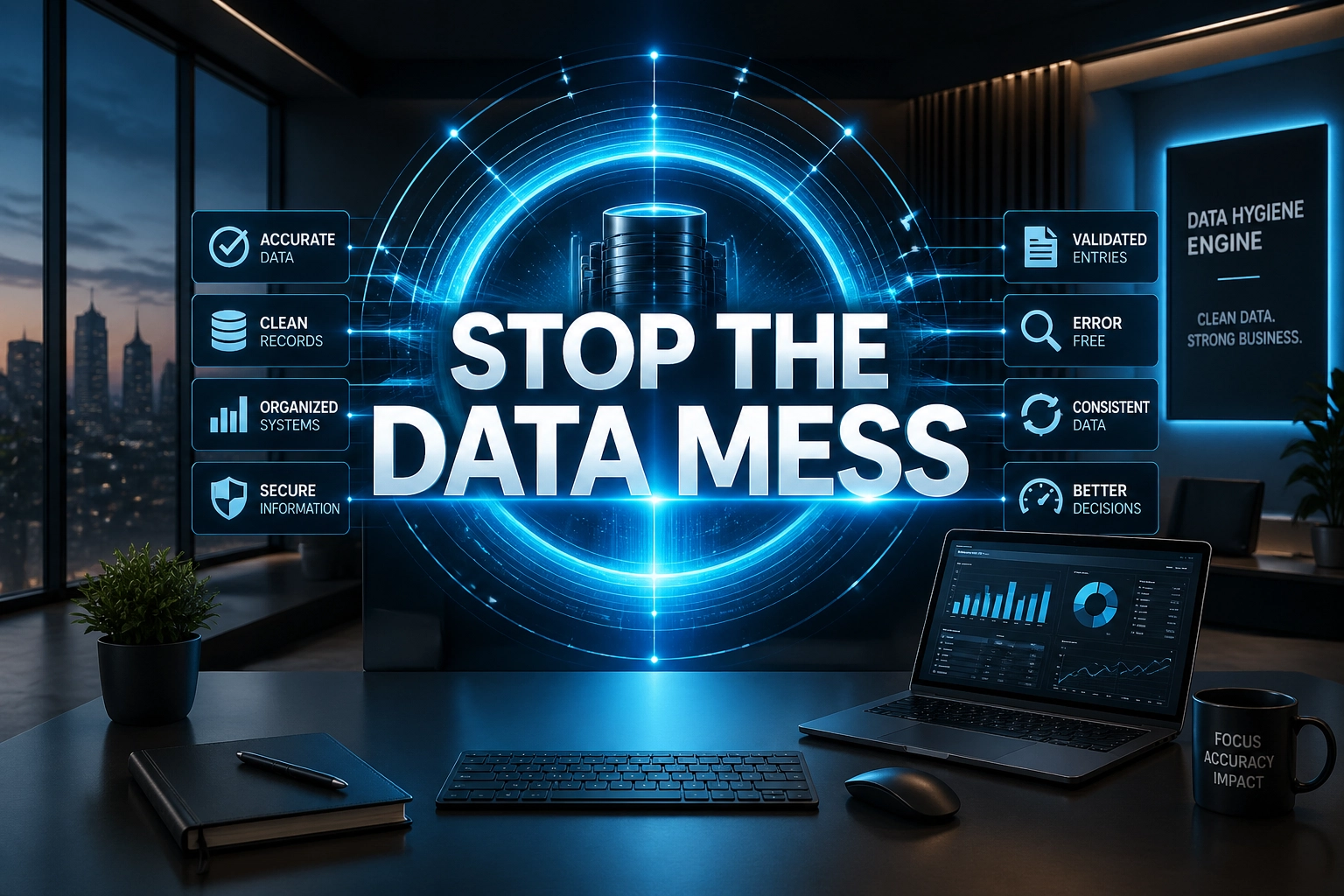
Stop treating your business data like a digital junk drawer. Most business owners spend years building what we call "Admin Debt": a massive backlog of unfiled invoices, messy CRM records, inconsistent lead data, duplicate contacts, and half-finished spreadsheets that eventually slow operations to a crawl. You didn't launch a company to spend your weekends squinting at spreadsheets or copy-pasting names from a PDF into Salesforce.
The reality in 2026 is that data is no longer just a record of what happened; it is the fuel for every strategic decision you make. If that fuel is contaminated with typos, duplicate records, broken fields, and missing context, your growth engine will stall. This is where the Transaction Trap kills most small to mid-sized firms. You hire someone to "just enter some data," they do it once, and then the system falls apart again two weeks later.
To scale without doubling your headcount or losing your mind, you need a systemized data hygiene engine. You need a specialized Data Entry Virtual Assistant from Virtual Nexgen Solutions who doesn't just "type" but manages the integrity of your entire digital infrastructure. A strong Data Entry Virtual Assistant keeps your CRM usable, your reports trustworthy, your customer records consistent, and your team focused on decisions instead of cleanup.
The 2026 Landscape: The High Cost of Manual Chaos
In the current market, "data entry" has evolved. We have moved past the era of simple 10-key typing. Today, a high-level Data Entry Virtual Assistant works as a process owner for data hygiene, record consistency, file organization, backlog cleanup, and daily maintenance across your business systems.
However, software alone isn't the silver bullet. Without a human expert to verify the accuracy and maintain the nuances of industry-specific workflows, you end up with "garbage in, garbage out." Whether you are running an independent insurance agency using AMS360, a legal office using Clio, a medical practice managing patient records, or a construction company tracking jobs in Jobber or Buildertrend, your competitive advantage depends on the cleanliness of your data. A skilled Data Entry Virtual Assistant closes the gap between raw information and reliable operations.
Maintaining an in-house data clerk in the US or UK can easily cost $60,000 per year when you factor in benefits, office space, and taxes. Contrast that with a Virtual Nexgen Solutions VA at just $8 per hour. You aren't just saving 25-40% on overhead; you are eliminating the Profit Leakage caused by internal staff spending high-value hours on low-value clicks. When a Data Entry Virtual Assistant owns cleanup, updates, documentation, and reporting support, managers stop drowning in catch-up work and start running a tighter business.
The Psychology of Admin Debt
Admin Debt is not just an operations problem. It is a mental burden. Every messy spreadsheet, incomplete CRM record, and mislabeled file creates friction in decision-making. CEOs and managers do not freeze because they lack ambition. They freeze because they do not trust the numbers in front of them.
Unreliable data creates a quiet form of decision paralysis. You open a dashboard, but you already suspect the lead count is inflated. You review your pipeline, but half the opportunities have no next step. You check accounts receivable, but three invoices are duplicated and two customer names are misspelled. Now every choice feels risky. Do you hire? Do you spend on marketing? Do you push sales harder? Do you cut costs? When the data feels shaky, every decision starts to feel like a gamble.
That mental load spreads across the company fast. Sales managers start tracking their own side spreadsheets because they do not trust the CRM. Operations teams keep screenshots in Slack because they do not trust the project board. Finance teams create manual cross-checks because they do not trust the billing data. This is how Admin Debt multiplies. One unreliable system turns into five shadow systems.
A Data Entry Virtual Assistant helps reduce that mental drag. Instead of forcing leadership to second-guess every number, a Data Entry Virtual Assistant keeps the source of truth current, standardized, and usable. That means fewer emergency audits, fewer “Can someone verify this?” messages, and fewer hours lost to rechecking simple records.
The cost of inaction is bigger than wasted admin time. Messy data causes missed follow-ups, delayed billing, reporting errors, compliance risks, and stalled decisions. It also burns out leaders. When every report needs a disclaimer, confidence drops. A reliable Data Entry Virtual Assistant restores clarity by making sure the information behind your decisions is not working against you.
Data Hygiene: Why Clean Records Matter in 2026
A lot of small businesses hear big promises about smarter software and better business insights. The truth is simpler: if your CRM is messy, your results will be messy too. If your customer records are incomplete, duplicate-heavy, or outdated, every report built on top of them becomes less useful.
This is why data hygiene matters so much in 2026. Better tools still depend on accurate input. If lead sources are mislabeled, your marketing reports lie. If customer addresses are inconsistent, your service routes break. If deal stages are outdated, your sales forecast becomes fiction. A Data Entry Virtual Assistant protects your business from bad inputs by keeping records clean, complete, and standardized.
Think about what happens inside a messy system. One customer may exist three times under slightly different names. A policy renewal may be attached to the wrong account. A legal intake may be saved under the wrong matter number. A patient file may have a missing date of birth. Then someone runs a report and trusts it. That is where the real damage begins.
A Data Entry Virtual Assistant fixes this before it becomes expensive. They normalize fields, merge duplicates, verify source documents, update records, and maintain naming conventions. They do the unglamorous work that protects strategic decisions. Clean data is not busywork. Clean data is operating leverage.
The 24/7 Global Advantage
One of the biggest practical advantages of hiring a Data Entry Virtual Assistant is timezone coverage. When your VA works from India or the Philippines, your business can benefit from overnight data processing. That means backlog work gets done while your local team sleeps.
Imagine ending the day with a pile of scanned invoices, CRM imports, service notes, lead sheets, claim forms, or customer updates. Instead of waiting for tomorrow's office hours, your Data Entry Virtual Assistant works through that queue overnight. By the time the CEO, office manager, or operations lead opens the laptop in the morning, records are updated, files are renamed, duplicates are flagged, and reports are ready for review.
This creates a real operating edge. Start the day with clean dashboards. Start the day with updated customer records. Start the day with yesterday’s paperwork already entered. Start the day without the usual admin pileup. A Data Entry Virtual Assistant does more than save labor cost; they compress turnaround time.
This model works especially well for insurance agencies, legal offices, medical practices, construction firms, logistics companies, plumbing businesses, HVAC teams, e-commerce brands, real estate brokerages, and accounting firms. These industries generate constant record changes. Every day of delay creates more Admin Debt. Every overnight update creates breathing room.
A global Data Entry Virtual Assistant also supports continuity. If your local team is in meetings, handling calls, or out in the field, the back-office work does not stop. That helps reduce bottlenecks and keeps information flowing without forcing your highest-paid employees to play cleanup crew.
6 Daily Pain Points That Are Killing Your Productivity
If you are experiencing these issues, you are currently drowning in Admin Debt:
- Lead Decay: Your CRM is full of leads with missing phone numbers or outdated email addresses, making your sales team's outreach feel like a cold-calling nightmare.
- Invoice Backlogs: You have a stack of digital or physical invoices waiting to be entered into QuickBooks, causing your cash flow reporting to be three weeks behind reality.
- The "Duplicate" Virus: Your database has five different entries for the same client, leading to embarrassing double-emails and fragmented customer service.
- Compliance Anxiety: You are constantly worried that a missing document or an unfiled COI (Certificate of Insurance) will result in a heavy fine or a lost contract.
- Manual Reporting: You spend four hours every Monday morning manually pulling data from three different platforms just to see if you hit your weekly targets.
- Information Silos: Your field technicians use one app, your billing team uses another, and none of the data matches up because nobody has the time to sync them.
10 Core Tasks Your Data Entry VA Will Handle
A dedicated Data Management VA from Virtual Nexgen Solutions takes these burdens off your plate immediately:
- CRM Hygiene: Regular deduplication and field updates in HubSpot or Salesforce.
- Lead Enrichment: Researching LinkedIn and company websites to fill in missing prospect data.
- Invoice Entry: Digitizing vendor bills and expenses into accounting software.
- Document Indexing: Sorting and filing digital documents into structured folder systems.
- Data Normalization: Ensuring all addresses, phone numbers, and dates follow a consistent format.
- E-commerce SKU Management: Uploading product descriptions and pricing across Shopify or Amazon.
- Transcript Cleanup: Polishing AI-generated meeting notes for clarity and action items.
- Reporting Dashboards: Compiling daily or weekly KPIs into a clean Google Sheet or PowerBI.
- Inventory Logs: Tracking stock levels and alerting management when thresholds are hit.
- Mailing List Management: Cleaning up bounce-backs and unsubscribes to protect your email deliverability.
Industry-Specific Data Dominance
Every industry has its own "data language." A Virtual Nexgen Solutions VA is trained to speak yours. Here is how we help specialized niches:
Independent Insurance Agencies: Your VA handles policy downloads, updates EZLynx or Applied Epic, and ensures that every renewal notice is logged before the deadline. This keeps your loss ratios in check and your renewals high.
Logistics and Trucking Dispatch: Our VAs manage driver manifests, fuel receipts, and BOL (Bill of Lading) entry. This allows your dispatchers to focus on finding high-paying loads instead of wrestling with paperwork.
Medical and Healthcare: In a world of strict compliance, your VA can handle non-clinical data tasks like patient record indexing in EHR systems and scheduling updates, allowing your medical staff to focus on patient care.
Real Estate and Construction: From managing MLS listings to tracking subcontractor insurance certificates, a VA ensures that your projects stay on track and your legal liabilities are covered.
12 Tactical SOPs for Data-Driven Success
To move from manual grunt work to a systemized engine, you need Standard Operating Procedures (SOPs). Here are 12 workflows your Virtual Nexgen Solutions VA can implement today.
1. CRM Lead Enrichment SOP
- Action: Take raw lead lists and turn them into actionable sales data.
- Steps:
-
- Export new leads from the website contact form.
- Search LinkedIn for the lead's current job title and company size.
- Use a tool like Hunter.io to verify the primary email address.
- Input findings into the Salesforce "Enriched Data" fields.
- Tag the lead for the appropriate sales representative.
- Best Practice: Never leave a "Job Title" field blank; use "Unknown" if not found to maintain filter integrity.
2. The "No-Duplicate" Database Cleanse
- Action: Systematic removal of duplicate records to prevent communication errors.
- Steps:
-
- Run a weekly "Duplicate Check" report in HubSpot.
- Compare the "Last Activity Date" for both records.
- Merge the newer record into the older record to preserve the original history.
- Ensure all notes and attachments are carried over during the merge.
- Delete the redundant shell record.
- Best Practice: Prioritize the record with the most recent billing history as the primary source of truth.
3. Invoice Processing & Categorization
- Action: Maintain real-time financial visibility by entering expenses daily.
- Steps:
-
- Access the "Invoices" folder in Google Drive.
- Open QuickBooks Online and select "Add New Expense."
- Enter the vendor name, date, total amount, and tax.
- Assign the expense to the correct chart of accounts (e.g., Office Supplies vs. Travel).
- Attach the digital copy of the invoice to the transaction record.
- Best Practice: Flag any invoice that varies by more than 10% from the previous month for manager review.
4. Insurance Policy Renewal Logging (AMS360/Applied Epic)
- Action: Ensure no policy lapses due to administrative oversight.
- Steps:
-
- Review the daily download report from the carrier portal.
- Cross-reference the policy number in AMS360.
- Update the expiration date and premium amount.
- Upload the new policy declaration page to the client's electronic file.
- Create a "Follow-up" task for the agent 30 days before the next expiration.
- Best Practice: Always check for missing endorsements during the update process.
5. Trucking Manifest & BOL Entry
- Action: Streamline logistics billing by digitizing trip documents.
- Steps:
-
- Download driver-submitted BOL photos from the fleet app.
- Enter the load number, weight, and delivery time into the TMS (Transportation Management System).
- Verify that the signature is present on the delivery document.
- Generate the draft invoice for factoring or direct billing.
- Archive the BOL in the "Completed Trips" folder.
- Best Practice: Highlight any "OS&D" (Over, Short, and Damaged) notes immediately to the claims department.
6. Medical EHR Document Indexing
- Action: Keep patient charts organized and HIPAA-compliant.
- Steps:
-
- Retrieve scanned lab results and specialist notes from the secure server.
- Identify the patient by Name and DOB in the EHR system.
- Label the document using the standard naming convention (YYYY-MM-DD_DocumentType).
- Upload the file to the "Correspondence" or "Labs" tab.
- Task the attending physician to review the new entry.
- Best Practice: Never include the patient's name in the file name if transmitting over non-secure channels.
7. Real Estate Listing Sync (MLS to Website)
- Action: Ensure your digital storefront matches current inventory.
- Steps:
-
- Monitor the MLS for "New" or "Pending" status changes.
- Download high-resolution photos and property descriptions.
- Update the WordPress or specialized real estate site backend.
- Format the "Property Features" list to be SEO-friendly.
- Check that the "Contact Agent" link is working correctly.
- Best Practice: Update the "Status" on your website within 2 hours of an MLS change to maintain credibility.
8. E-commerce SKU & Inventory Update
- Action: Prevent "Out of Stock" sales and pricing errors.
- Steps:
-
- Receive the weekly inventory spreadsheet from the warehouse.
- Access the Shopify/Amazon Seller Central "Bulk Update" tool.
- Update current stock counts for every active SKU.
- Adjust pricing based on the current promotion schedule.
- Flag any SKUs with zero inventory for "Hidden" status.
- Best Practice: Run a "Pricing Audit" monthly to ensure your margins haven't been eroded by shipping cost increases.
9. Legal Case File Archiving
- Action: Maintain a searchable digital library of closed cases.
- Steps:
-
- Confirm the "Closed" status in the practice management software (e.g., Clio).
- Consolidate all digital motions, evidence, and correspondence into a single ZIP file.
- Upload the archive to the firm's secure cloud storage.
- Update the "Physical Location" field if paper files exist in off-site storage.
- Set a "Purge Date" based on state record retention laws.
- Best Practice: Standardize the folder structure (e.g., /Pleadings, /Discovery, /Client_Docs) for every case.
10. HVAC/Plumbing Service History Cleanup
- Action: Provide technicians with accurate customer history before they arrive.
- Steps:
-
- Review notes from the previous day's service calls in ServiceTitan or Housecall Pro.
- Standardize the "Equipment Type" and "Model Number" fields.
- Record the warranty expiration date if a new part was installed.
- Clean up the "Customer Notes" to remove internal jargon or shorthand.
- Update the "Next Service Due" date based on the maintenance plan.
- Best Practice: Ensure the primary phone number is tagged as "Mobile" for SMS appointment reminders.
11. Car Dealership CRM Hygiene (VinSolutions/DealerSocket)
- Action: Recover "lost" sales by keeping the pipeline clean.
- Steps:
-
- Review all "Unsold" leads from the last 48 hours.
- Check for missing lead sources (e.g., Facebook vs. TrueCar).
- Verify that the "Desired Vehicle" field is correctly populated.
- Mark leads as "Bad Data" if the phone number and email are both invalid.
- Assign unworked leads to the BDC (Business Development Center) manager.
- Best Practice: Never delete a lead; use a "Dead" status to preserve marketing attribution data.
12. Payroll Data Consolidation
- Action: Prepare accurate data for the accounting team or PEO.
- Steps:
-
- Download hours worked from the time-tracking app (e.g., TSheets/QuickBooks Time).
- Cross-reference hours against the approved schedule in the project management tool.
- Calculate overtime hours based on local labor laws.
- Enter the final totals into the payroll template.
- Submit the report to the CEO for final approval.
- Best Practice: Highlight any discrepancy of more than 5 hours per week for immediate verification.
Software Proficiency: The Tools of the Trade
Our VAs aren't just data entry clerks; they are power users of the software that runs your industry. We prioritize experience in:
- CRM/ERP: Salesforce, HubSpot, Zoho, VinSolutions, DealerSocket.
- Insurance Systems: Applied Epic, AMS360, EZLynx, HawkSoft.
- Accounting: QuickBooks Online, Xero, FreshBooks.
- Productivity: Google Workspace, Microsoft 365, Airtable.
- Communication: Slack, Microsoft Teams, Zoom.
Detailed Tool Deep-Dive: Advanced Data Cleanup Tools
A high-performing Data Entry Virtual Assistant does not rely on guesswork. They use the right cleanup tools for the right job and pair those tools with careful human review. This matters because bulk changes inside your CRM or database can create even bigger messes if nobody checks field logic first.
OpenRefine for Structured Cleanup
OpenRefine is one of the most useful tools for cleaning messy exports from spreadsheets, CRMs, legacy systems, and intake forms. A Data Entry Virtual Assistant can use OpenRefine to cluster similar entries, standardize values, split columns, trim whitespace, remove hidden formatting issues, and spot anomalies before data goes back into your core system.
For example, a construction company may have customer names saved as:
- ABC Roofing LLC
- A.B.C Roofing
- ABC Roofing, LLC
- Abc roofing llc
A Data Entry Virtual Assistant can use clustering in OpenRefine to identify these variations, choose a standard naming format, and prepare a clean upload sheet. That kind of cleanup improves reporting, billing accuracy, and searchability.
Insycle for CRM-Specific Cleanup
For businesses using HubSpot or Salesforce, Insycle is a practical option for identifying duplicates, standardizing fields, bulk-editing properties, and validating data structures before they become bigger problems. A Data Entry Virtual Assistant can use tools like Insycle to create repeatable cleanup rules for names, phone numbers, lifecycle stages, ownership fields, and account relationships.
The key point is this: tools do not replace judgment. A Data Entry Virtual Assistant decides which record is the source of truth, which fields must be preserved, and which updates need manager review before any bulk change goes live.
CRM-Native Cleanup Features
Many platforms already include useful cleanup functions:
- Salesforce: duplicate management rules, validation rules, report filters, and import wizards
- HubSpot: deduplication tools, lifecycle property management, workflows, and formatting checks
- Zoho CRM: duplicate alerts, field mapping, mandatory field rules, and bulk update features
- Applied Epic / AMS360 / EZLynx: client record review, policy note consistency, attachment naming, renewal logging discipline
- Clio: matter naming consistency, contact linking, and document folder structure
- QuickBooks Online: vendor name consistency, transaction categorization, attachment review, and reconciliation support
A smart Data Entry Virtual Assistant knows when to use built-in functions and when to clean data externally first. That prevents accidental overwrites and keeps your live system stable.
Security & Compliance Deep Dive
If your Data Entry Virtual Assistant handles sensitive business records, security cannot be an afterthought. It must be built into the workflow from day one. This matters most in medical, legal, insurance, and financial environments where a simple file mistake can trigger serious compliance problems.
HIPAA for Medical Practices
In healthcare settings, a Data Entry Virtual Assistant may handle non-clinical tasks like patient intake updates, appointment data entry, insurance record indexing, or secure file organization. To do this safely:
- Restrict access to the minimum required systems and folders.
- Use unique logins with role-based permissions.
- Store files only in approved secure systems.
- Avoid downloading protected health information to personal devices.
- Use approved naming conventions and audit trails.
- Log every document movement when required.
- Escalate mismatched patient identifiers immediately.
The U.S. Department of Health & Human Services provides guidance on HIPAA privacy and security standards, and medical practices should align remote support procedures accordingly: https://www.hhs.gov/hipaa/index.html
GDPR for Cross-Border Data Handling
If your company serves customers in Europe or stores EU personal data, GDPR rules matter. A Data Entry Virtual Assistant should follow documented procedures for lawful data handling, limited access, secure retention, correction requests, and deletion workflows where required. This becomes especially important for law firms, e-commerce brands, and service businesses with global customers.
The official GDPR resource from the European Union is useful for policy review and internal governance planning: https://gdpr.eu/
Legal and Insurance Data Governance
For legal and insurance businesses, the risk is not only privacy. It is record integrity. A missed note, mislabeled document, or incorrectly linked attachment can create downstream claims issues, E&O exposure, or case confusion. A Data Entry Virtual Assistant reduces that risk by following strict SOPs for document naming, record updates, file linking, and task logging.
Practical Security Best Practices for VAs
Use these baseline controls when assigning sensitive work to a Data Entry Virtual Assistant:
- Grant least-privilege access only.
- Use password managers such as LastPass or 1Password.
- Require multi-factor authentication on all core systems.
- Prohibit credential sharing over chat or email.
- Maintain device and login audits.
- Use secure cloud folders with permission control.
- Standardize offboarding steps the moment access changes.
- Review data handling SOPs monthly.
Security becomes much easier when the work itself is organized. A disciplined Data Entry Virtual Assistant does not just enter information. They protect the structure around it.
Case Study Scenario: Construction Firm Before and After Hiring a Data Entry Virtual Assistant
Consider a fictional but realistic construction company called RidgeLine Builders, a growing firm handling residential remodels, subcontractor coordination, vendor billing, and job progress tracking across multiple projects.
Before
The owner and project manager were losing time every day to admin sprawl:
- Job notes lived in text messages, paper notebooks, and random spreadsheets.
- Vendor invoices sat in email for days before being entered.
- Customer contact records were incomplete or duplicated.
- COIs from subcontractors were scattered across inboxes and desktop folders.
- Change orders were not consistently logged in the same system.
- End-of-week reporting took nearly half a day.
The result was predictable. Billing lagged. Teams chased missing paperwork. The owner could not trust the job profitability snapshot at any given moment. Small errors created big headaches. They were losing roughly 15 hours a week to cleanup, follow-up, and rework.
After
They brought in a Data Entry Virtual Assistant to own daily data hygiene and record maintenance. Within the first month, the VA:
- Standardized customer and job naming conventions.
- Entered invoice data daily into QuickBooks Online.
- Organized subcontractor COIs into one secure folder structure.
- Updated project records in Buildertrend at the end of each day.
- Logged change orders into the correct job records.
- Cleaned duplicate customer records and missing phone fields.
- Built a simple daily status sheet for the owner.
Within six weeks, RidgeLine Builders recovered about 15 hours per week. The project manager stopped doing nighttime data cleanup. The owner reviewed cleaner numbers each morning. Billing went out faster. Subcontractor paperwork became easier to find. The business did not become magically simple overnight, but the Admin Debt stopped growing.
That is the practical value of a Data Entry Virtual Assistant. Clear records lead to clearer decisions. Clearer decisions protect margins.
Why Virtual Nexgen Solutions is the Obvious Choice
Most competitors like BELAY or Zirtual offer high-cost "generalists" who you have to train from scratch. On the other end of the spectrum, cheap freelance platforms leave you with security risks and inconsistent quality.
Virtual Nexgen Solutions bridges that gap. At $8 per hour, we provide industry-specific specialists who arrive with pre-built SOPs and a deep understanding of your business's technical requirements. We don't just fill a seat; we solve your Admin Debt problem with a trained Data Entry Virtual Assistant who can support CRM hygiene, invoice entry, policy updates, project records, lead cleanup, reporting support, and document control.
We understand that your data is your most sensitive asset. That is why we implement rigorous security protocols, including role-based access, secure credential management via LastPass, and strict non-disclosure agreements. We manage the humans so you can manage the growth.
If your team is spending expensive hours on repetitive updates, backlog entry, duplicate cleanup, and file hunting, the cost is not just frustration. It is delayed decisions, missed follow-ups, slower billing, and preventable Profit Leakage. A Data Entry Virtual Assistant at $8 per hour can remove that drag without the cost of a full in-house admin role.
Stop losing hours to the keyboard. Stop letting Profit Leakage drain your bank account. Stop living in the Transaction Trap.
Ready to clean up your data and scale your operations?
Book a 30-minute strategy call with our team and discuss how a Data Entry Virtual Assistant from Virtual Nexgen Solutions can help you reduce Admin Debt, improve CRM hygiene, and reclaim leadership time.
Meta Description: Scale your business in 2026 with a Data Entry Virtual Assistant. Eliminate Admin Debt, boost CRM hygiene, and save 40% on costs with Virtual Nexgen Solutions.
Frequently Asked Questions
What does a Data Entry Virtual Assistant actually do each day?
A Data Entry Virtual Assistant handles the record work that keeps your systems usable: CRM cleanup, invoice entry, file organization, lead updates, duplicate removal, spreadsheet maintenance, and reporting support.
Why is Admin Debt such a big deal?
Admin Debt slows decisions, creates reporting errors, frustrates teams, and causes Profit Leakage. When your data is unreliable, your managers spend more time checking numbers than acting on them.
What makes a 2026 Data Entry Virtual Assistant different?
A modern Data Entry Virtual Assistant works as an augmented assistant. They use software where helpful, but apply human judgment to clean records, resolve exceptions, and maintain industry-specific workflows correctly.
Can a Data Entry Virtual Assistant work in my existing tools?
Yes. Virtual Nexgen Solutions supports platforms like Applied Epic, AMS360, EZLynx, HawkSoft, Clio, QuickBooks Online, Salesforce, HubSpot, Zoho, Shopify, and more.
How much can I save?
A US-based in-house admin role can cost around $60,000 per year. A Data Entry Virtual Assistant from Virtual Nexgen Solutions starts at $8 per hour, which can reduce overhead significantly while freeing your local team for higher-value work.
Is my data secure with a remote VA?
Yes, when access is structured correctly. Use least-privilege permissions, password managers, multi-factor authentication, and clear SOPs for sensitive records.
Can I start with backlog cleanup only?
Absolutely. Many businesses begin with CRM cleanup, invoice backlog, file organization, or duplicate removal, then expand the role into ongoing maintenance.
How fast can I get started?
In most cases, Virtual Nexgen Solutions can help you get a trained Data Entry Virtual Assistant into your workflow within 48 to 72 hours once scope and tools are clear.